
Project Setup
The Xcode template is a trap. Not because it’s broken — it works fine. The trap is that it makes a bunch of decisions for you, dumps half a dozen files in the same folder, and ships with SwiftData boilerplate you didn’t ask for. Then six weeks later, when you have 40 Swift files, you wonder why your project feels like a parking lot at midnight.
This lesson is about not falling into that. We’re going to strip BrewLog down to nothing, organize it the way real iOS apps are organized, and add our first model — the Brew itself.
No vibe coding here. The folder structure isn’t the fun part of building an app. It is, however, the part that decides whether you’re still enjoying the project in two months.
What the template gives you (and why we’re throwing most of it away)
Open Xcode, File → New → Project, pick “App”, check the SwiftData box (which is on by default in 2026 templates), name it whatever, hit Next. You’ll get this:
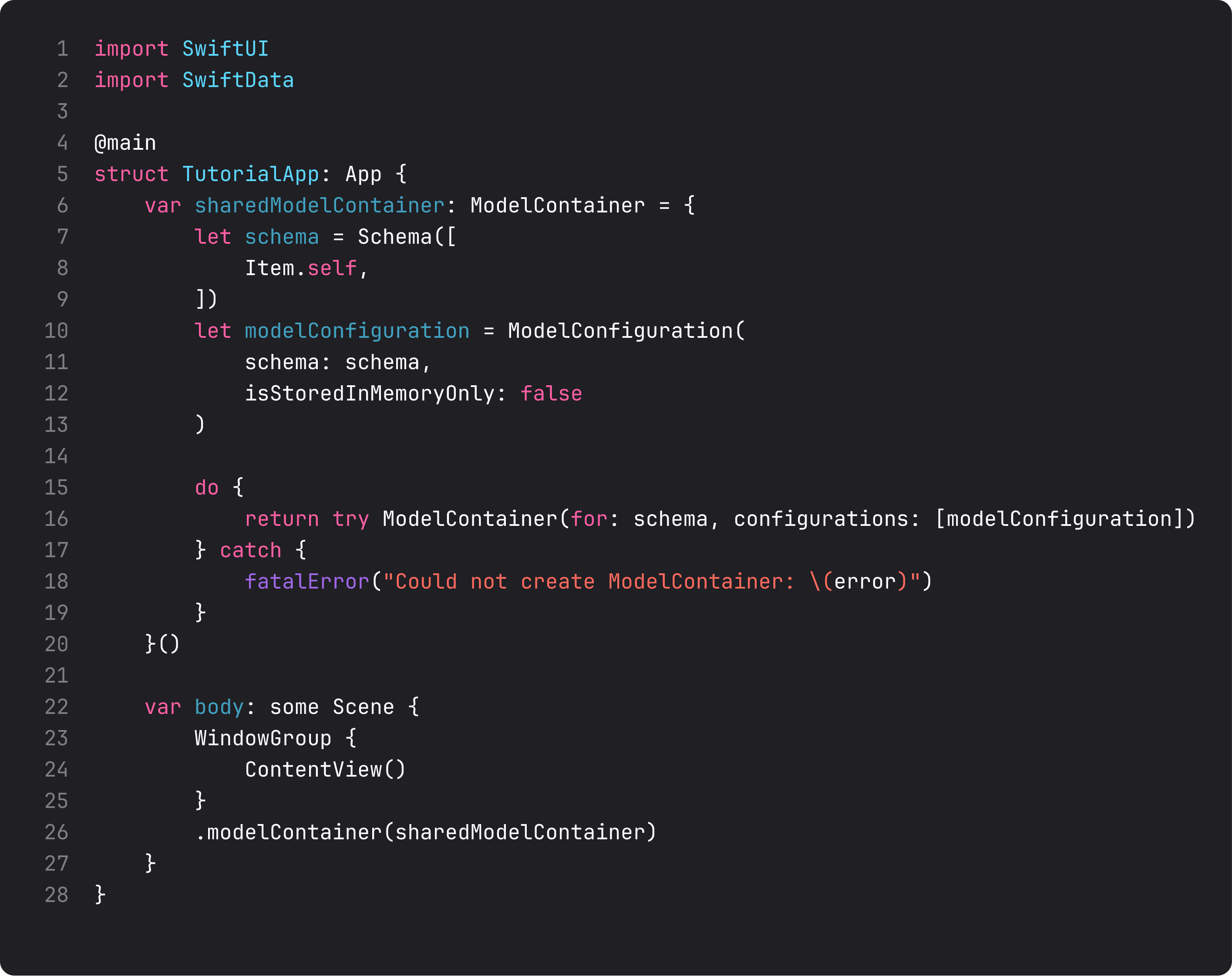
That’s the app entry point. Twenty lines, half of which set up a ModelContainer for an Item.self model that doesn’t exist in our domain. The template assumes you want SwiftData on day one, with a placeholder model the template generated for you.
There’s a name for this kind of code: scaffolding masquerading as starter code. It’s correct, it compiles, and it’s actively misleading — because now you have to decide whether to keep this Item thing, what to rename it to, where SwiftData should actually live, and whether the sharedModelContainer should really be a property on App.
The honest answer for most apps: none of that. Not yet.
Strip it down
Here’s what BrewLogApp.swift should actually look like in lesson 2:
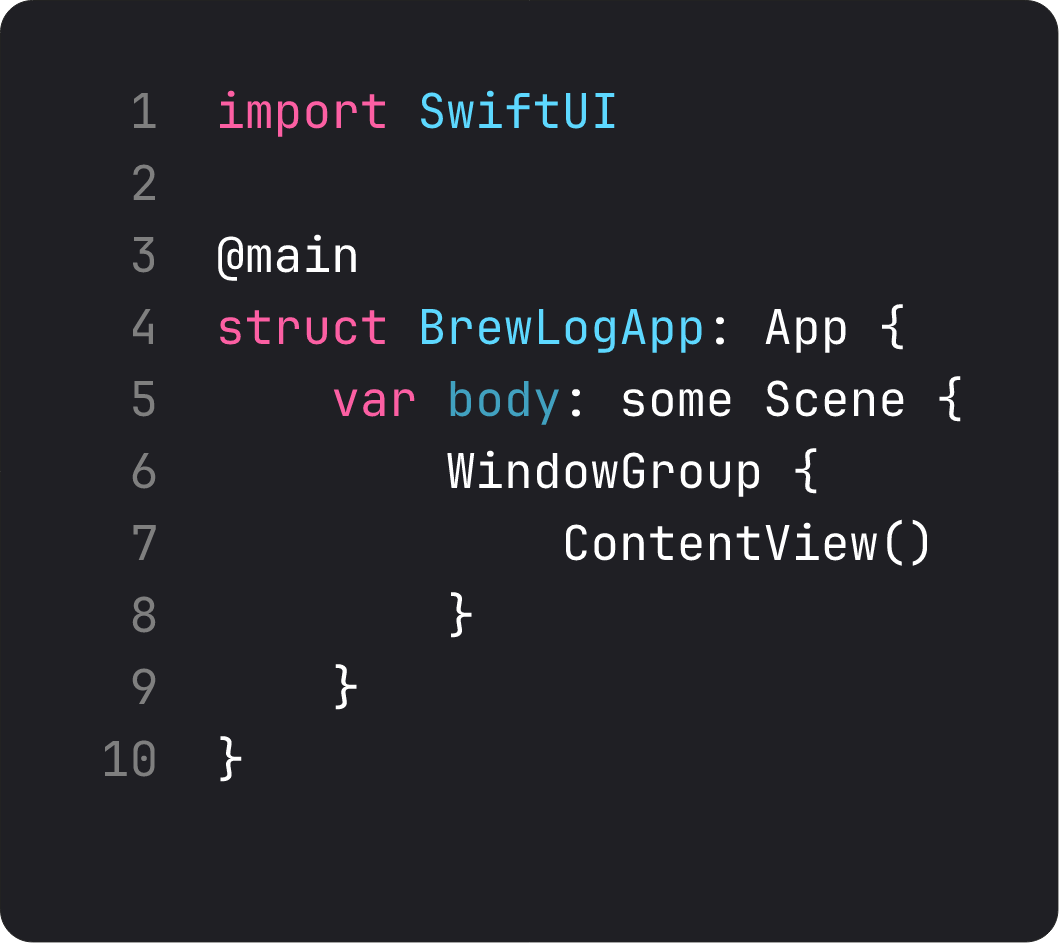
Eight lines. One @main. One WindowGroup. One root view.
That’s it. We don’t need a ModelContainer until we have a model worth persisting (lesson 12). We don’t need an AppDelegate until something else tells us we do. YAGNI — you aren’t gonna need it — applies harder to app-level code than anywhere else, because anything you put here runs before the user sees a pixel.
When in doubt, the smallest version that works is the right version. We can always add back what we need.
Folder structure: SRP at the project level
Here’s what BrewLog looks like on disk after this lesson:
BrewLog/
├── App/
│   └── BrewLogApp.swift
├── Views/
│   └── ContentView.swift
├── Models/
│   └── Brew.swift
├── Storage/
├── Assets.xcassets/
├── BrewLog.entitlements
└── Info.plist
Four folders for the code that matters: App/, Views/, Models/, Storage/. Each one has a single responsibility — that’s literal SRP applied to the file system.
App/— the entry point and anything that’s app-wide (lifecycle, scene config, app-level setup). One file usually. If it grows past three, you’re doing too much inApp.Views/— every SwiftUI view goes here. As we add screens we’ll create subfolders (Views/Brews/,Views/Settings/, etc.) — one folder per feature, not one folder per view.Models/— the value types that describe your domain. Pure Swift, no UIKit, no SwiftUI imports. Should be testable in 0.001 seconds without a simulator.Storage/— the layer that turns models into bytes (and back). Empty for now. We’ll fill it in lesson 12 when SwiftData enters the picture.
Why this matters: when a future you (or an AI assistant) sees a file path like BrewLog/Models/Brew.swift, they immediately know what kind of code lives there, what it can import, and what’s safe to change. The folder is the API contract.
A trap I see in vibe-coded projects
Here’s what an LLM tends to generate when you ask it to “organize a SwiftUI app”:
BrewLog/
├── BrewView.swift
├── BrewListView.swift
├── BrewDetailView.swift
├── BrewModel.swift
├── BrewService.swift
├── BrewViewModel.swift
├── ContentView.swift
├── BrewLogApp.swift
└── Utils.swift
Everything in one folder, prefixed with the noun. Looks fine for ten files. By thirty, you can’t navigate it. By a hundred, you give up and use Xcode’s Find Navigator instead of the file tree — which is the smell of architecture that lost.
The other LLM trap is the opposite: ten folders deep, with Features/Brews/Views/Components/Detail/Sections/.... This is what happens when someone applies clean architecture as a religion instead of a tool. Foundations isn’t the place for that. We start flat enough to navigate, deep enough to scope. Four top-level folders is plenty for a small app. We’ll subdivide when there’s actual pain.
The first model: Brew
Models are where I always start a feature. They define the noun. Everything else — views, storage, networking — is a verb that does something to the noun. Get the noun right and the verbs follow.
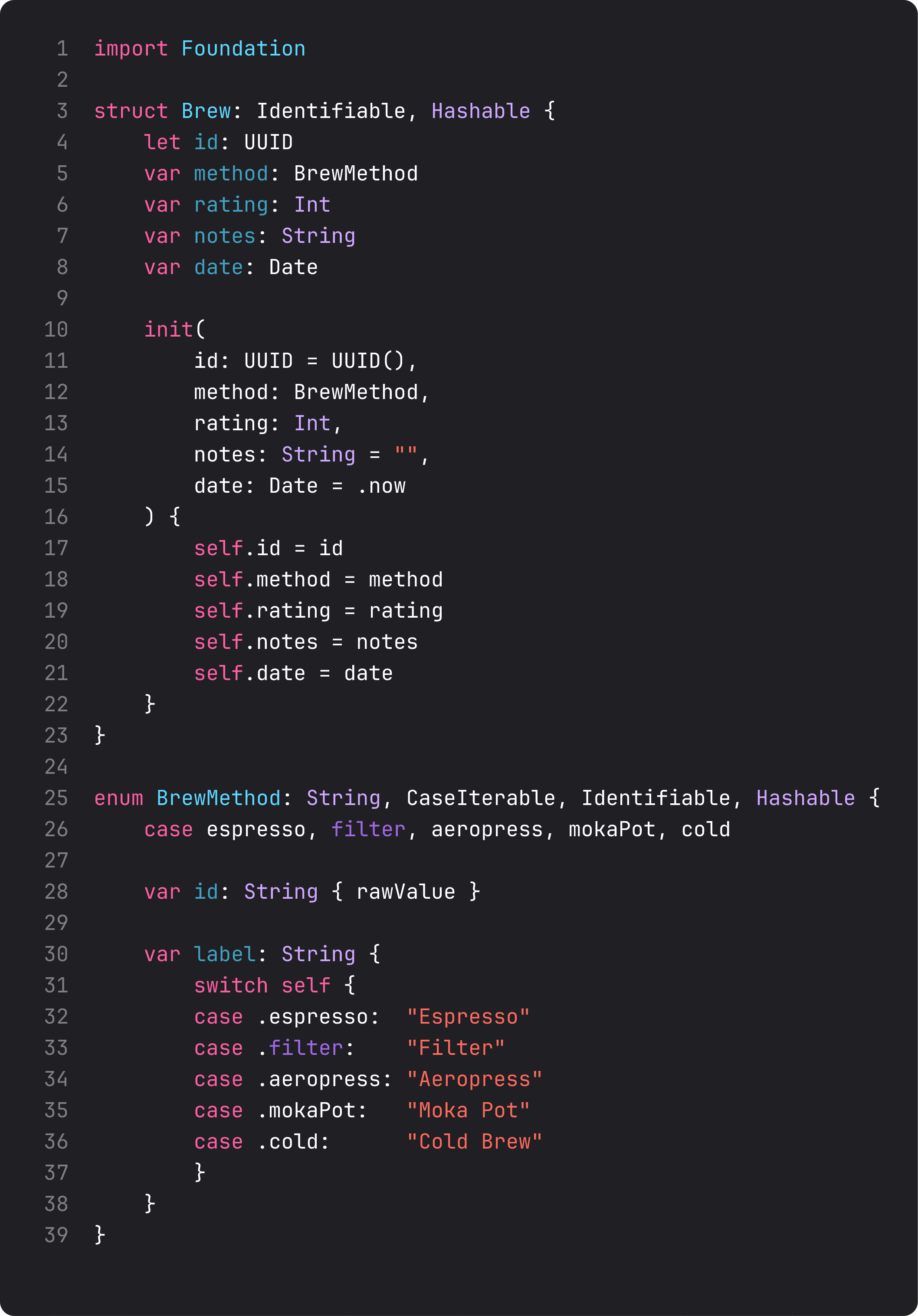
Three things happen here that are worth calling out.
- It’s a
struct, not aclass. Value semantics by default. Two brews with the sameidand same fields are equal. Copying a brew gives you an independent copy. This will save us pain later — Swift’s structured concurrency and SwiftUI’s diff both work better with value types. - It conforms to
IdentifiableandHashable.Identifiableis whatListandForEachneed to track items across re-renders.Hashablelets us use brews in aSet, as dictionary keys, or as nav destinations. These conformances are practically free; declare them upfront. BrewMethodis anenumwith raw values. Not a string we have to validate at every screen — a finite set the compiler enforces. The day someone tries to add a typo’d.expresso, the build breaks. That’s the trade Swift’s type system was made for.
This model has zero dependencies on SwiftUI, Foundation aside. You could lift it into a unit test and run it in 50ms. That’s the bar for Models/ code: framework-independent, fast, easy to reason about.
What it looks like running
The simulator screen hasn’t changed since lesson 1 — we just reorganized the source. That’s the point: the user doesn’t see project structure. We do.
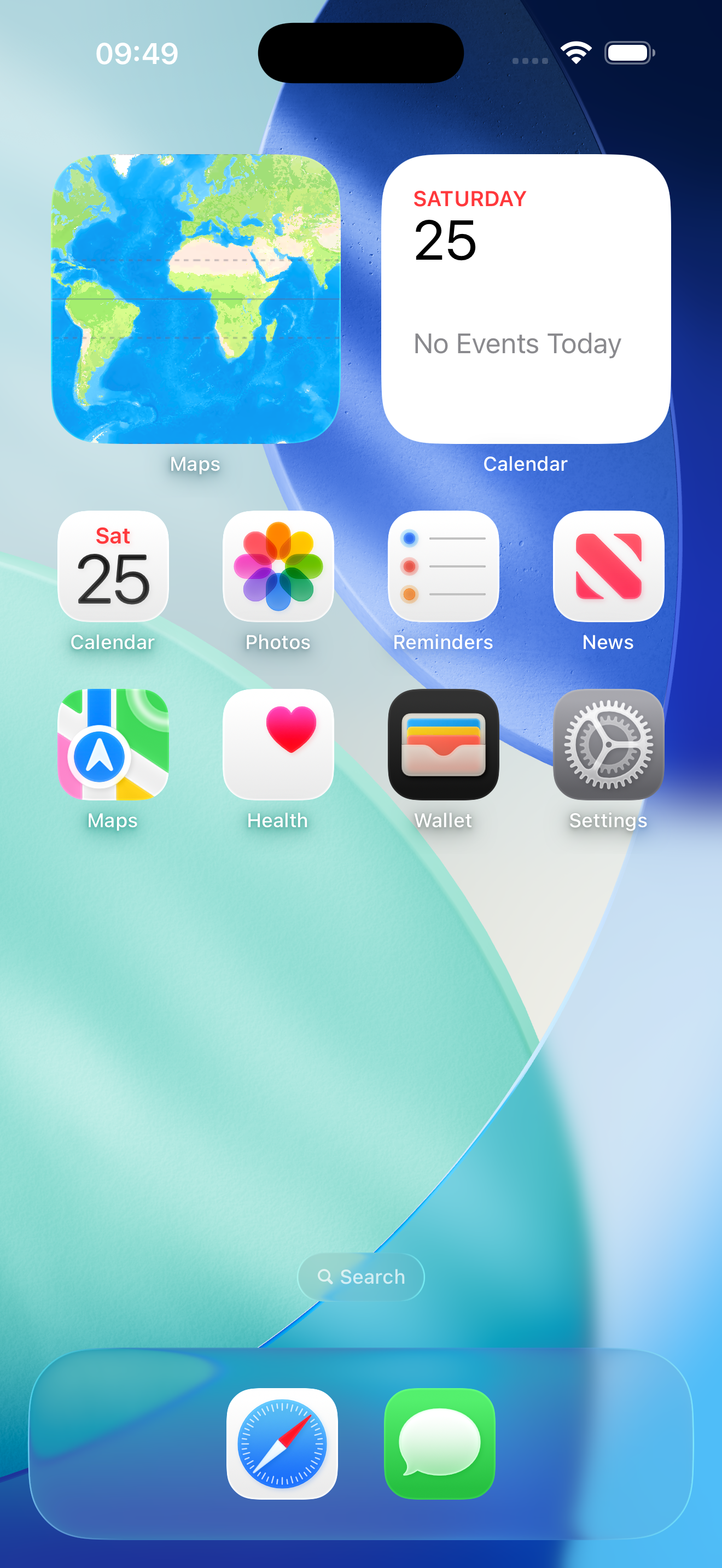
The build still passes, the launch still hits ContentView, and we now have a Brew value type sitting in Models/ waiting for a screen to use it. That’s the entire deliverable for this lesson.
Takeaway
The folder is the API contract. Each top-level folder has one responsibility. Every file knows where it lives because it knows what it does. When this discipline is in place, navigating the project gets faster as the codebase grows — instead of slower.
Strip the template down. Add the noun first. Resist building scaffolding before you have a problem to solve.
Next lesson: we put Brew to work — building the greeting card screen with Text, Image, and Color, and learning why modifier order is the most important detail in SwiftUI.
NativeFirst Team
EditorialThe NativeFirst team — engineers and designers building native Apple apps and writing the courses we wish we had when we started.
Comments
Leave a comment