
ThinkBud
Drop Anything. Learn Everything.
Import any link, PDF, photo, or audio file. ThinkBud turns it into a complete study kit — mind maps, FSRS-5 flashcards, quizzes, AI podcasts, and Feynman explanations — all in seconds.
Study with friends in real-time groups, climb the weekly league, and sync across iPhone, iPad, and Mac. Now Educational App Store certified.

Vetted by the Educational App Store
ThinkBud earned a 5-star rating from the Educational App Store — an independent review platform that vets learning apps for pedagogical quality, age appropriateness, and overall experience.
Their highest tier is reserved for apps they judge to be genuinely valuable for learning — not just polished. We are pretty proud of this one.
How ThinkBud Works
From raw content to a structured study kit in four steps. No manual work required.
Drop Your Content
Paste a link, upload a PDF, snap a photo of your textbook, or record a lecture. ThinkBud accepts anything you throw at it — text, images, audio, or scanned docs.
AI Builds Your Study Kit
In seconds, ThinkBud generates a mind map, key summaries, FSRS-5 flashcards, quizzes, cloze exercises, and a 2-host podcast — all from a single import.
Learn Across Ten Modes
Explore the visual mind map, drill with flashcards, test yourself with quizzes, explain concepts in Feynman mode, listen to the podcast, or chat with the AI tutor.
Compete, Share & Export
Climb the weekly league, share decks with study groups, or export your maps as PNG, interactive HTML, PowerPoint, or a public link anyone can view.
One Import. Twelve Tools to Learn With.
ThinkBud doesn't just summarize your content — it builds a complete learning system around it, with FSRS-5 spaced repetition, Feynman explanations, social study groups, and a weekly league to keep you coming back.
Import Anything
Drop a link, PDF, photo, scanned doc, or audio file. Vision OCR for images, PDFKit for documents, Whisper for audio — ThinkBud builds a full study kit in seconds.
Interactive Mind Maps
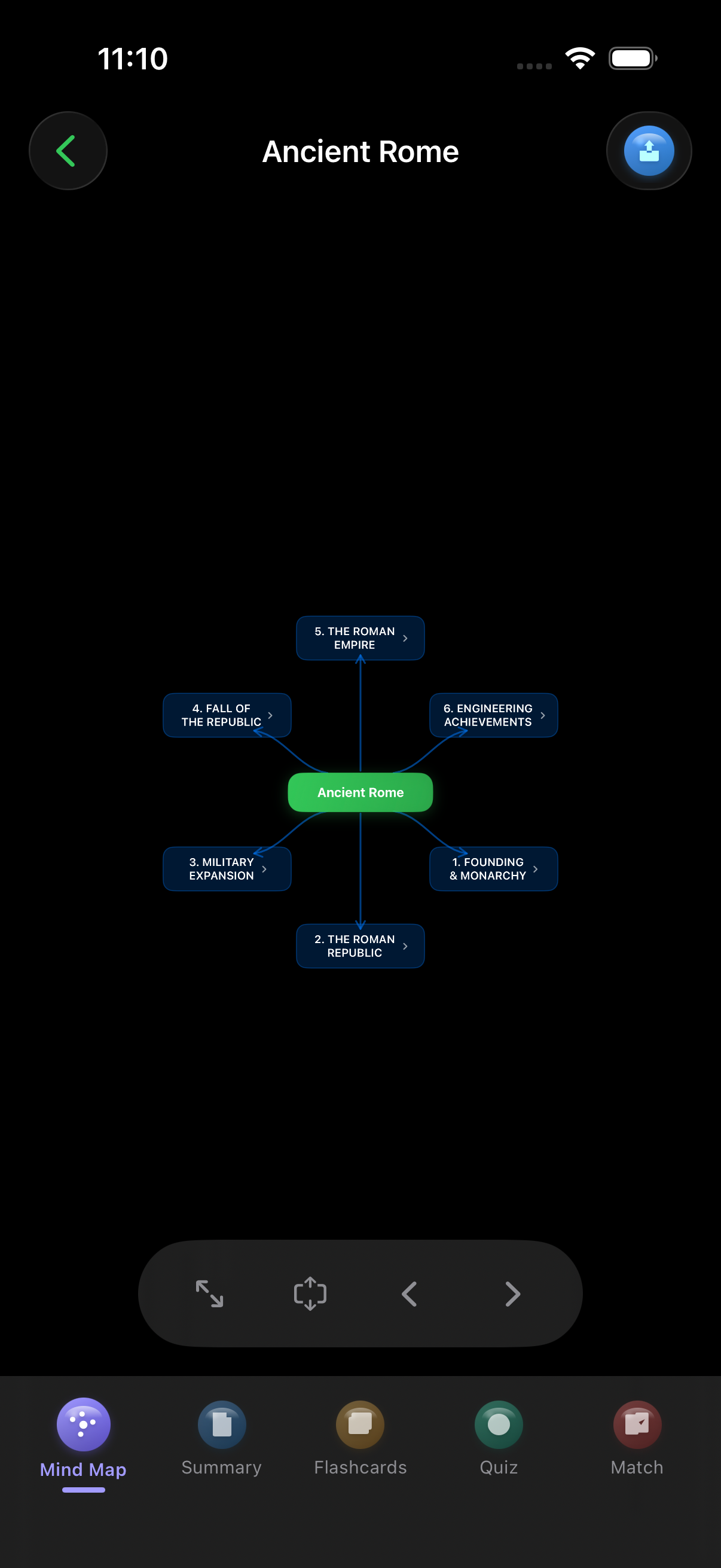
Beautiful, zoomable mind maps that break any topic into a clear visual structure. Pan, expand nodes, and export as high-res PNG — perfect for visual thinkers.
FSRS-5 Flashcards
AI-generated flashcards using the FSRS-5 spaced repetition algorithm — the same modern SRS engine that powers serious memorization tools. Daily review keeps everything locked in.
Quiz, Cloze & Feynman
Test recall with auto-generated multiple-choice quizzes, fill-in-the-blank cloze exercises, and the Feynman mode — explain a concept back to the AI and get instant feedback.
AI Summaries
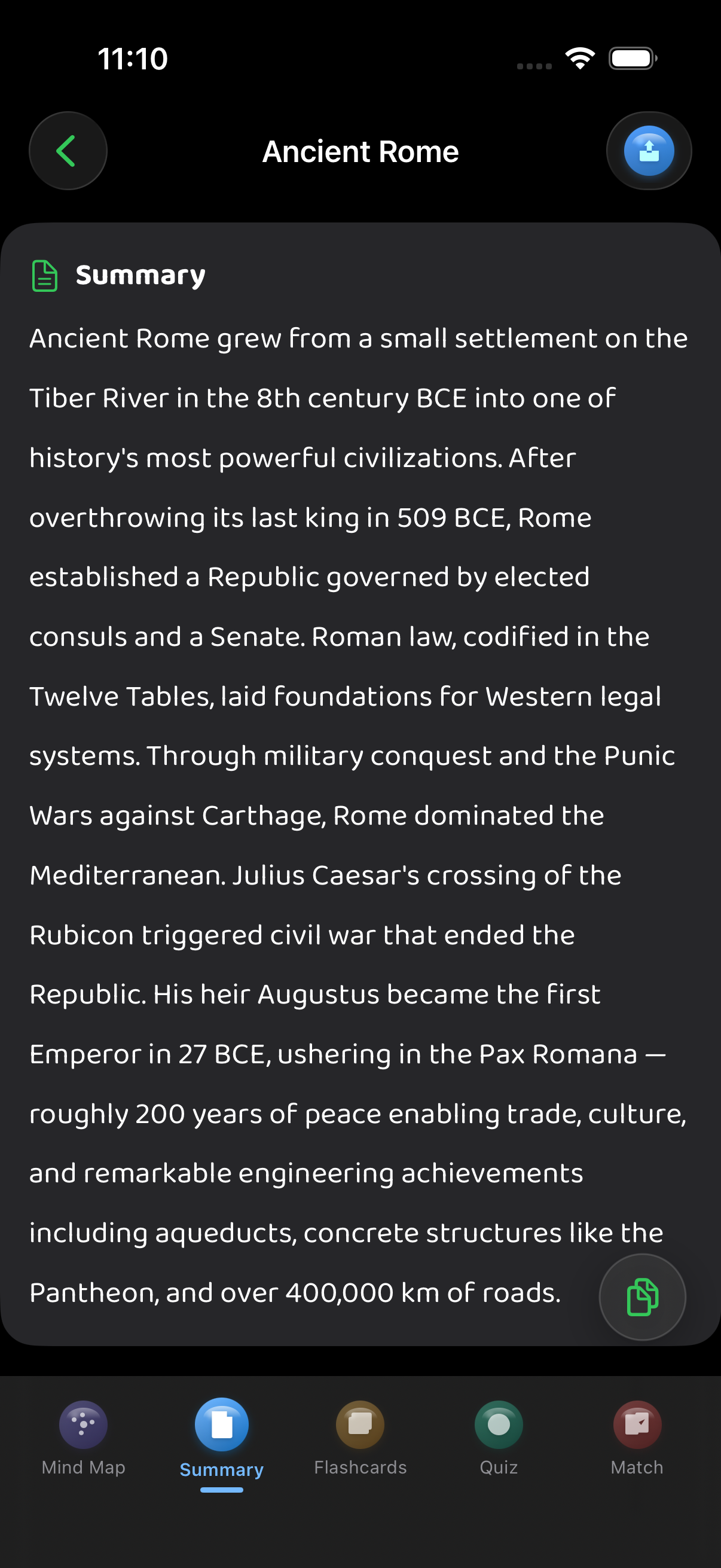
Long-form key takeaways extracted and organized instantly. Get the gist of any article, paper, or recording in seconds, not hours.
2-Host AI Podcast
Turn any content into a 2-host conversational podcast — choose Short, Medium, or Long, and Casual or Academic style. Listen on commutes and workouts.
Ask AI About Your Material
Per-session chat that knows the content you imported. Ask follow-up questions, request examples, and generate new mind maps from the conversation.
Export & Share Anywhere
Export brain maps as high-res PNG, complete interactive HTML study files, PowerPoint decks, or share a public link — anyone with the link can view your study materials.
Study Groups & Chat
Create or join study groups and chat with classmates — text, voice notes, photos, files, location, even disappearing messages. Real-time push, fully native on the Apple stack.
Weekly League & Streaks
Five-tier weekly leaderboard (Bronze → Diamond), XP for every review, daily streak tracking, and 16 unlockable achievements. Gamified the right way — quietly motivating, never pushy.
Universal Apple App
Native on iPhone, iPad, and Mac. iCloud sync via CloudKit keeps everything in lockstep. The Mac app ships with menu bar extra, Command Palette (⌘K), and drag-and-drop import.
Privacy by Design
No accounts, no tracking, no ads. Auth via Apple Game Center. Analytics is GDPR-compliant TelemetryDeck — no IDFA, no cross-app tracking, no ATT prompt.
Ten Study Modes from a Single Import
Other apps give you a summary and call it a day. ThinkBud generates ten different ways to engage with your material — because nobody learns the same way twice.
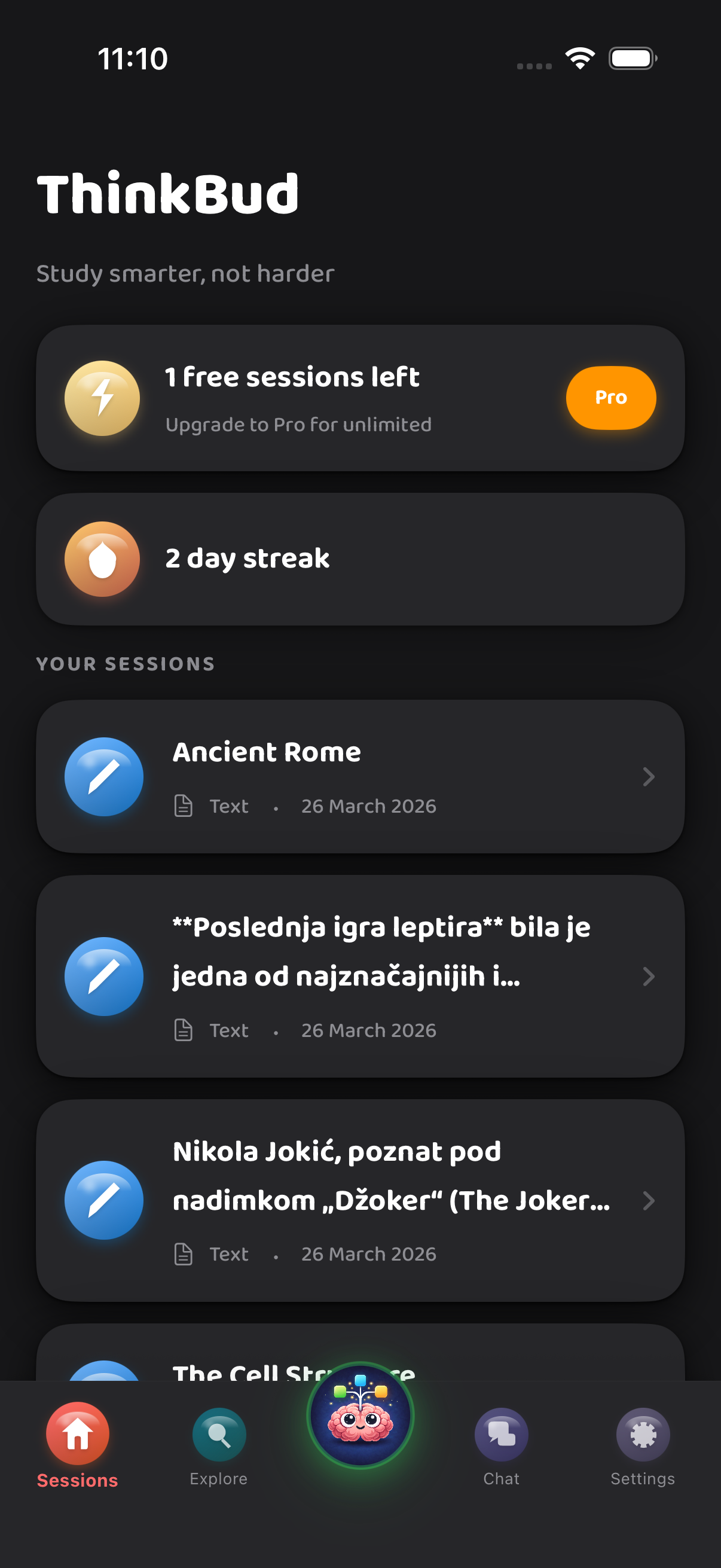
- Mind Map — pan, zoom, and drill into any branch of the topic
- Long-form Summary — extracted key ideas, organized for skimming
- FSRS-5 Flashcards — modern spaced repetition that focuses on what you keep getting wrong
- Multiple-Choice Quiz — auto-generated to test recall and comprehension
- Cloze Exercises — fill-in-the-blank prompts pulled from your material
- Feynman Mode — explain a concept back to the AI and get instant feedback on what you missed
- 2-Host AI Podcast — Short/Medium/Long, Casual or Academic — listen on your commute
- Audio Review — hands-free flashcard drilling for runs and dishes
- Ask AI — per-session chat that knows what you imported and answers in context
- Export Anywhere — PNG, HTML, PowerPoint, or shareable public link
Never Study Alone.
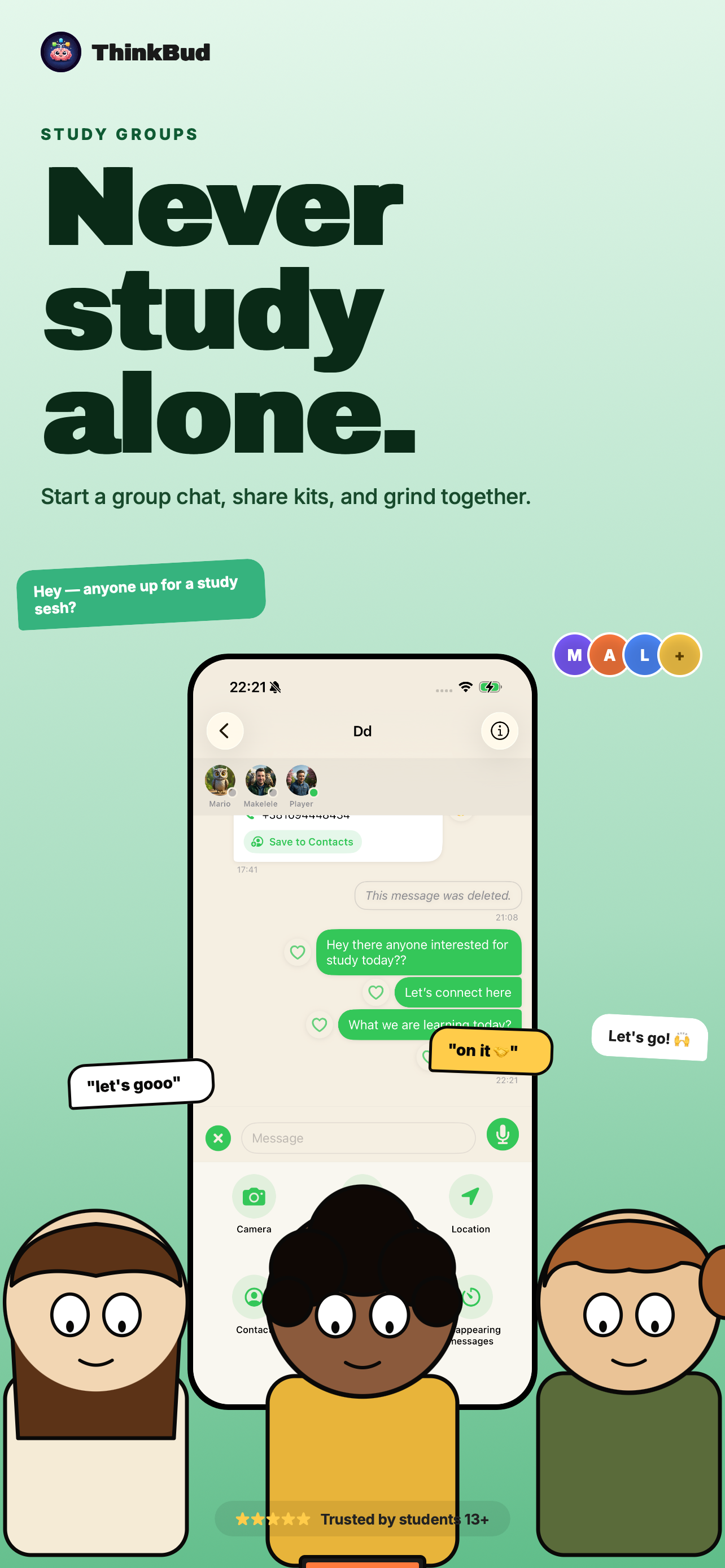
Studying is hard. Studying alone is harder. ThinkBud's built-in group chat means you can pull a couple of classmates into a thread, share the deck you just generated, and grind together — without bouncing to WhatsApp, Discord, or yet another app.
It's a real chat — not a half-baked "comments" feature. Voice notes, photos, files, locations, contacts, reactions, replies, edits, read receipts, even disappearing messages with per-conversation TTLs. All native, all running on Apple's push stack so messages land instantly.
Social Studying. Done Right.
Real-time group chat plus a five-tier weekly league that keeps you coming back. All native, all on the Apple stack — no third-party servers in your messages.
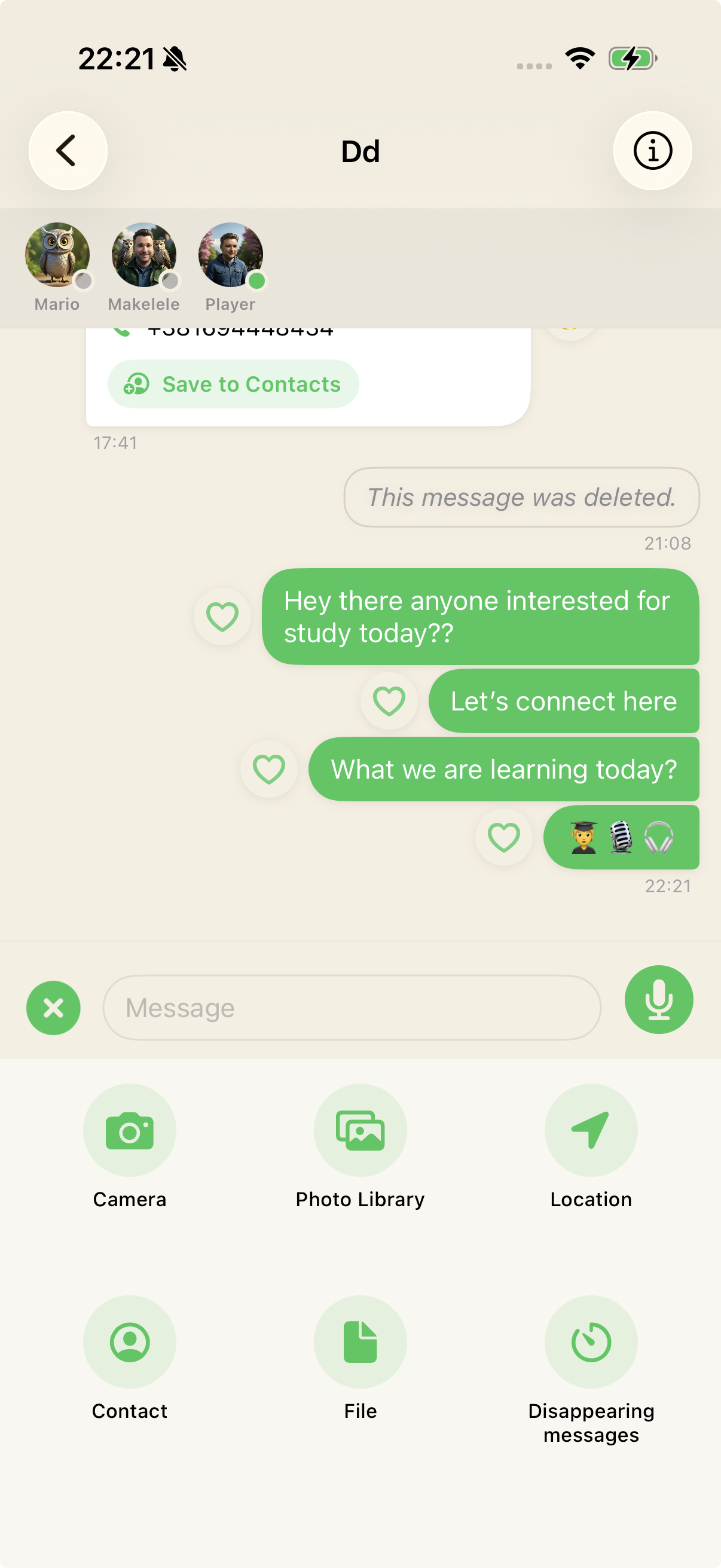
Study Groups & Chat
Create or join study groups with up to 50 members. Share decks, drill flashcards together, and chat in real time — text, voice notes, photos, files, location, contacts, even disappearing messages with per-conversation TTLs.
- Real-time push via APNs — instant delivery, no polling lag
- Voice notes, image, file, location, contact, and disappearing messages
- Direct messages, reactions, replies, edits, read receipts, blocks
- Auth via Apple Game Center — no separate accounts to create
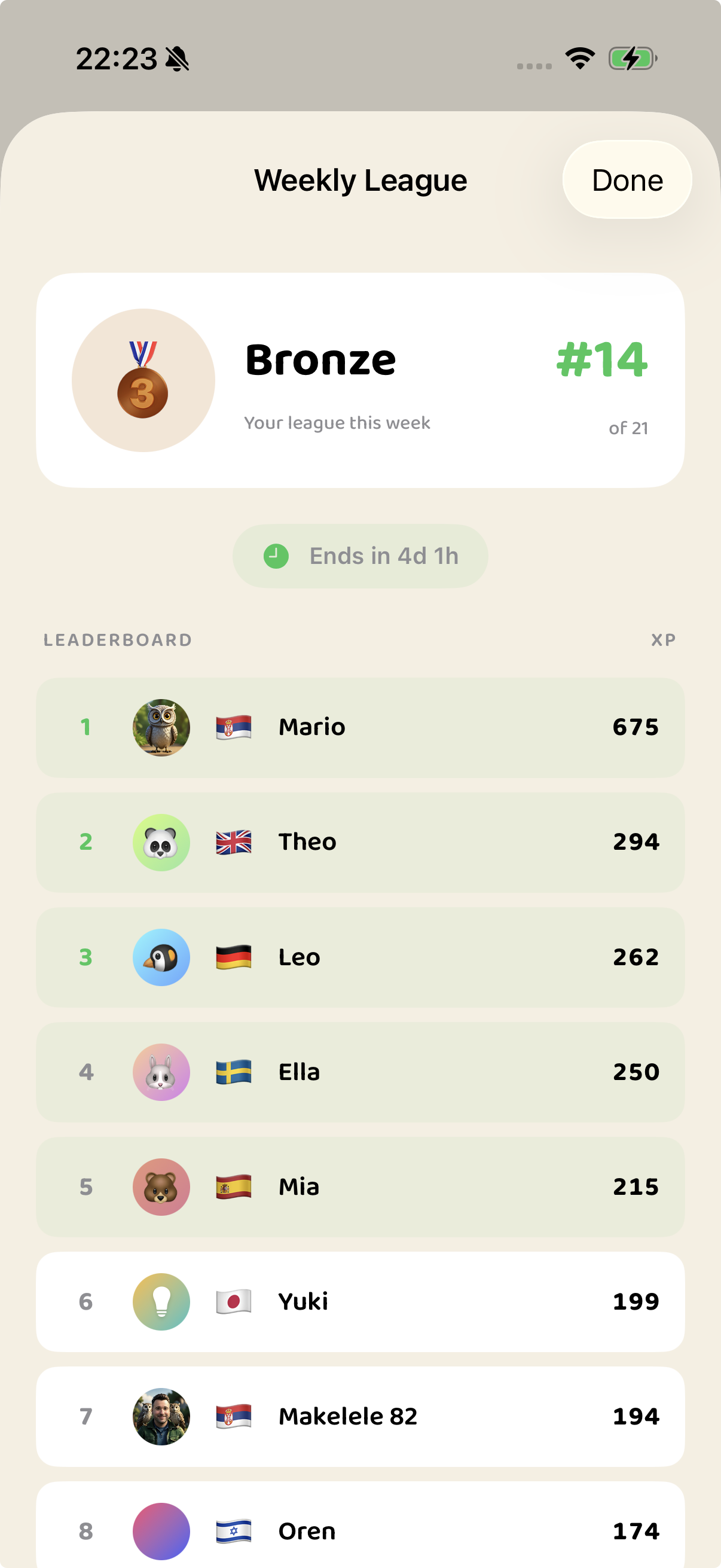
Weekly League
Earn XP for every review, quiz, and Feynman explanation, then compete in a five-tier weekly leaderboard. Promote, demote, repeat — the Duolingo formula, but for actually retaining what you study.
- 5 tiers — Bronze → Silver → Gold → Platinum → Diamond
- XP for reviews, quizzes, podcasts, Feynman, daily streak — daily cap at 300 XP
- 16 unlockable achievements — First Spark, Week Warrior, Quiz Ace, Voice of a Scholar…
- Optional — turn it off entirely if leaderboards aren't your thing
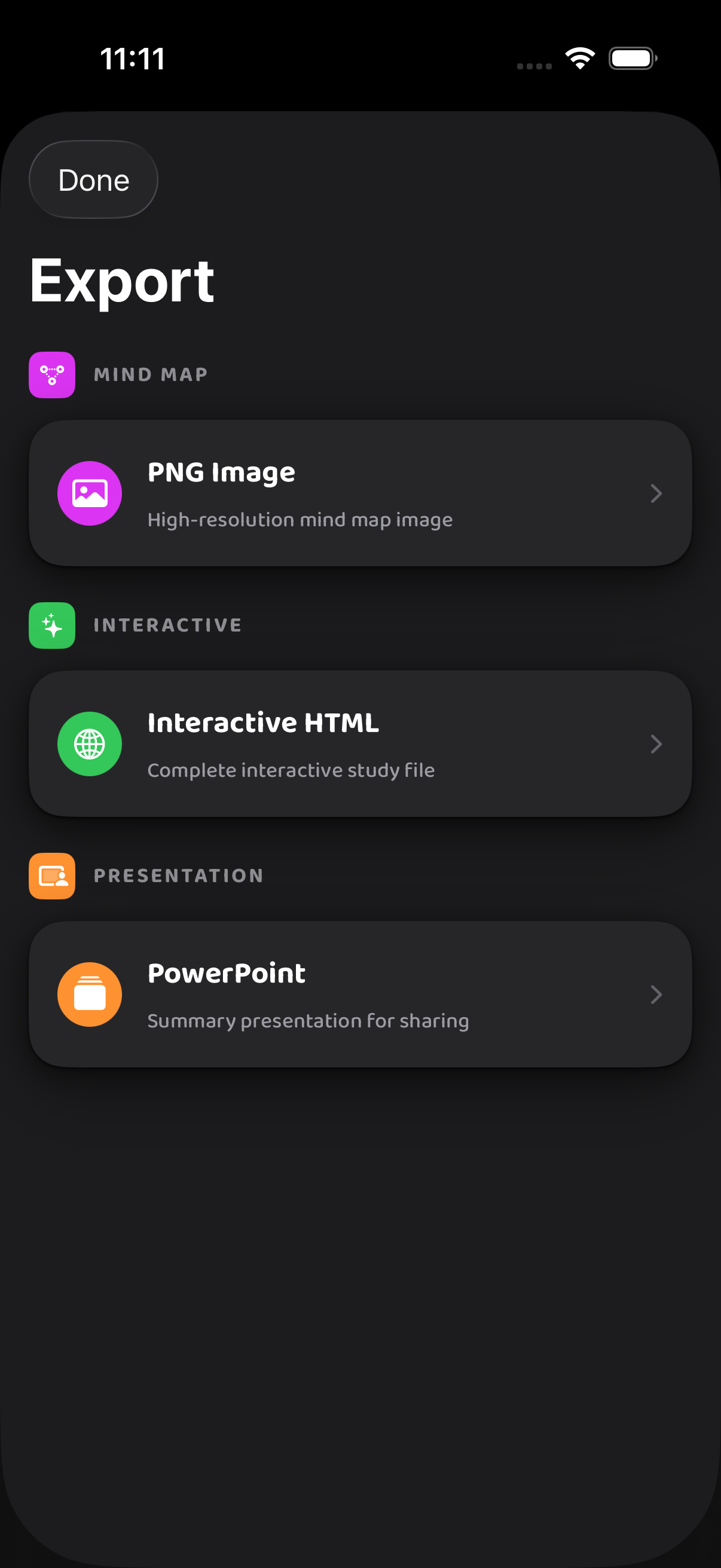
Export Brain Maps as Stunning Visuals
This is where ThinkBud goes from useful to indispensable. Export your brain maps as high-resolution PNG images you can share, print, or embed anywhere.
Need to present what you've learned? Generate complete interactive HTML study files that run in any browser, polished PowerPoint decks, or share a public link — anyone can view your study materials without installing the app.
- PNG Export — high-res mind maps for sharing, printing, or embedding
- Interactive HTML — complete study file in any browser, no install needed
- PowerPoint — professional slide decks generated from your learning content
- Public Link — share an unguessable URL anyone can open in a browser
One App. iPhone, iPad, Mac.
ThinkBud is a true universal Apple app. iCloud sync via CloudKit keeps every flashcard, mind map, and group chat in lockstep across your devices.
iPhone
Optimized for one-handed use, with a Home Screen widget showing your streak and cards due. Snap a photo of a textbook page and have a study kit waiting.
iPad
Full sidebar layout, multi-column reading, and roomy mind map canvas. The split view turns your iPad into a proper study station.
Mac
Native menu bar extra, Command Palette (⌘K), Focus Review (⌘⇧F), and drag-and-drop file import. Built for the screen where you do your research.
See ThinkBud in Action
A clean, focused interface designed to keep you learning — not fighting the app.
Home
Mind Map
Summary
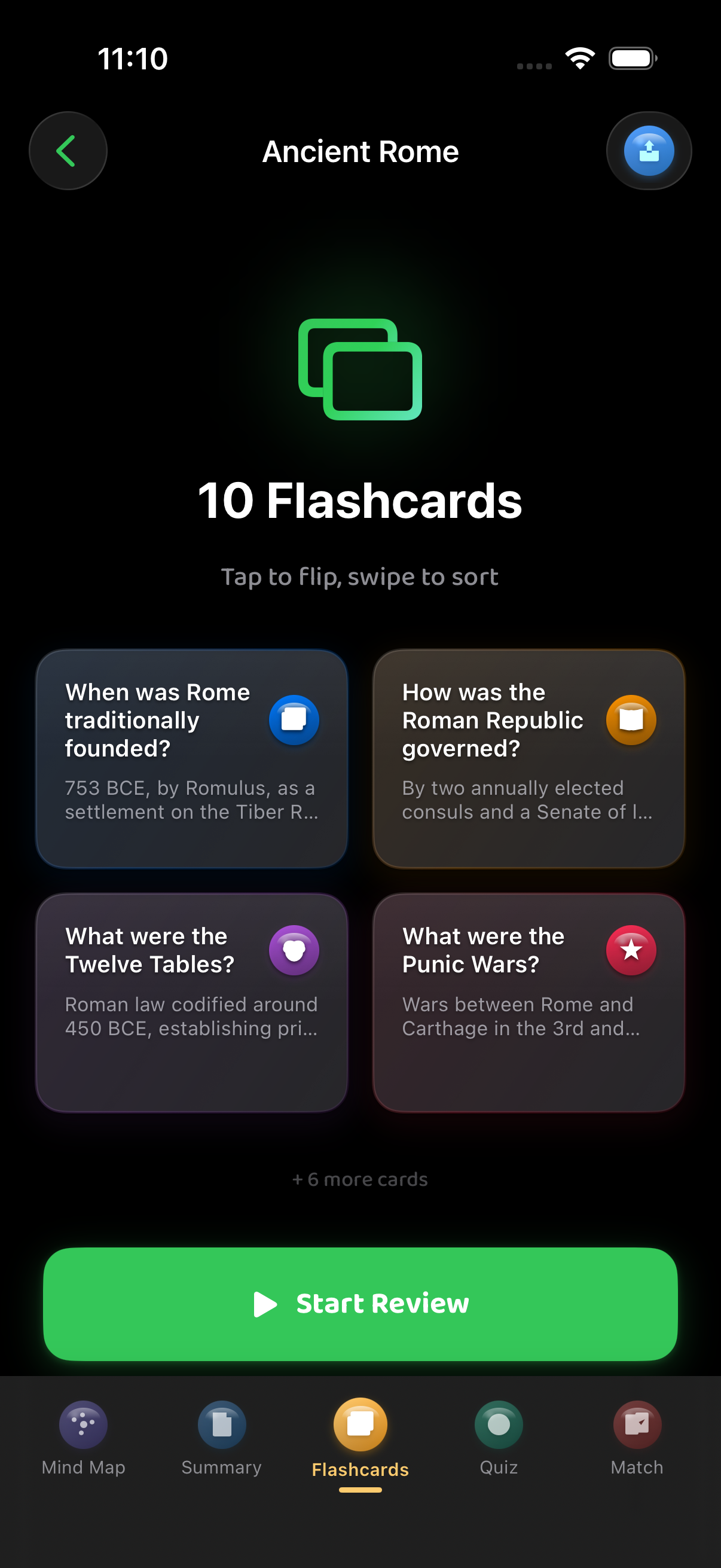
Flashcards
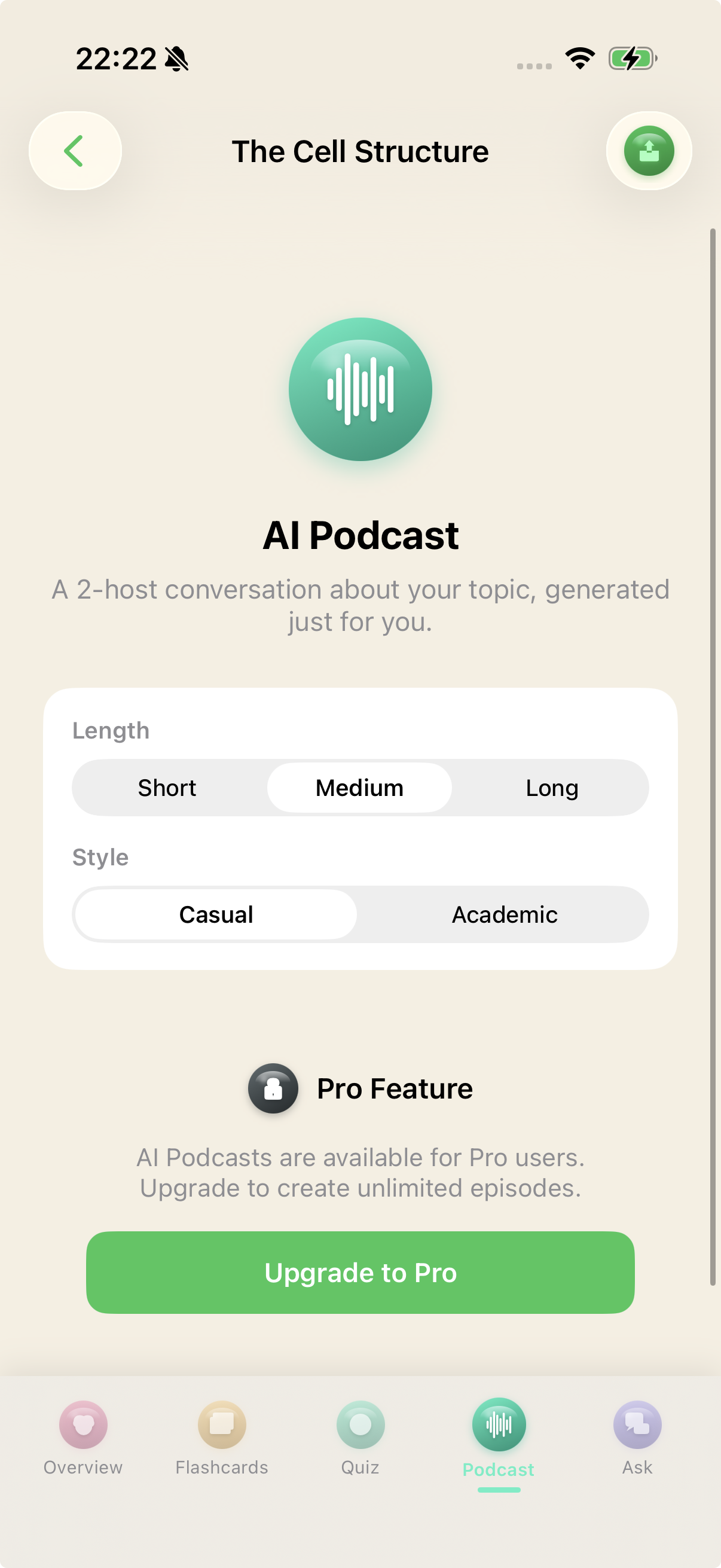
AI Podcast
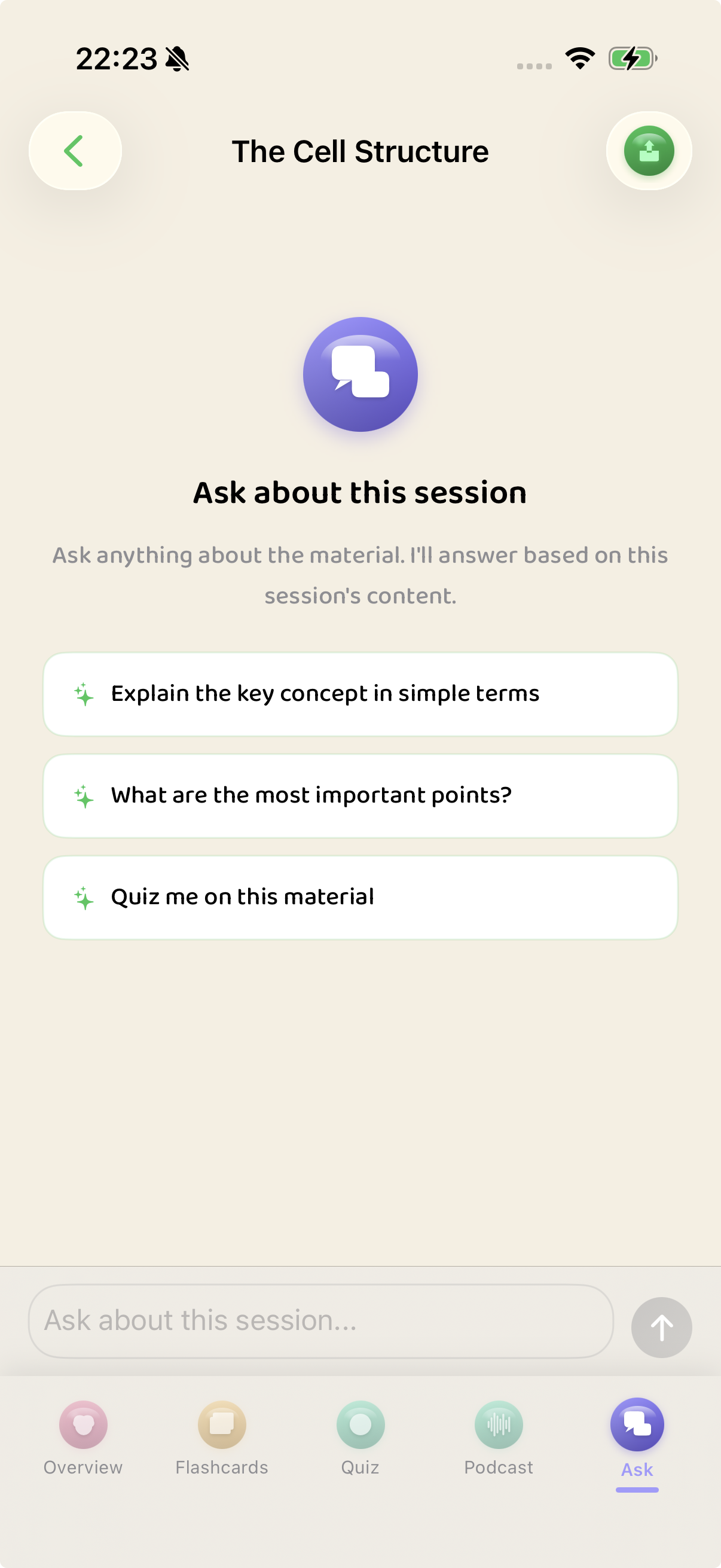
Ask AI
Export
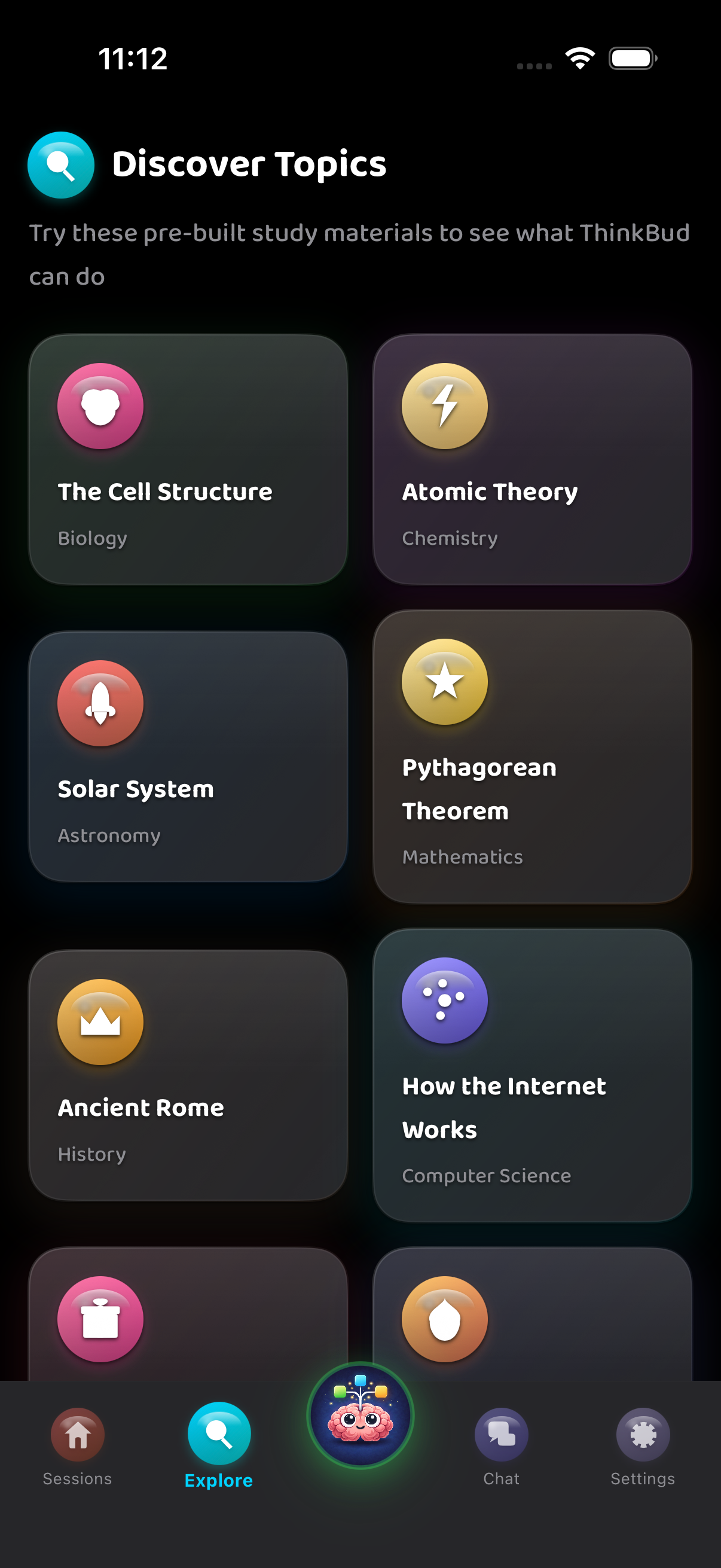
Explore
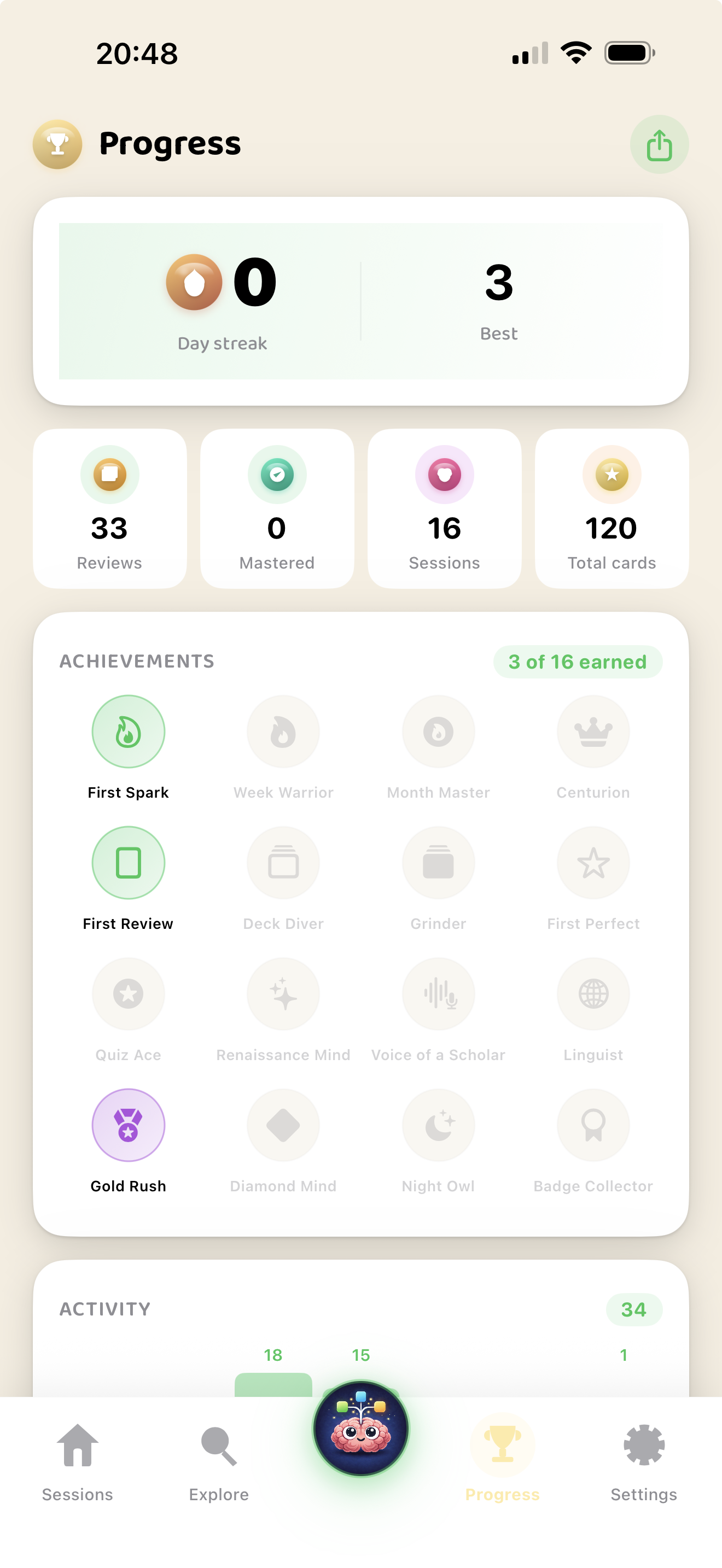
Progress
Weekly League
Study Groups
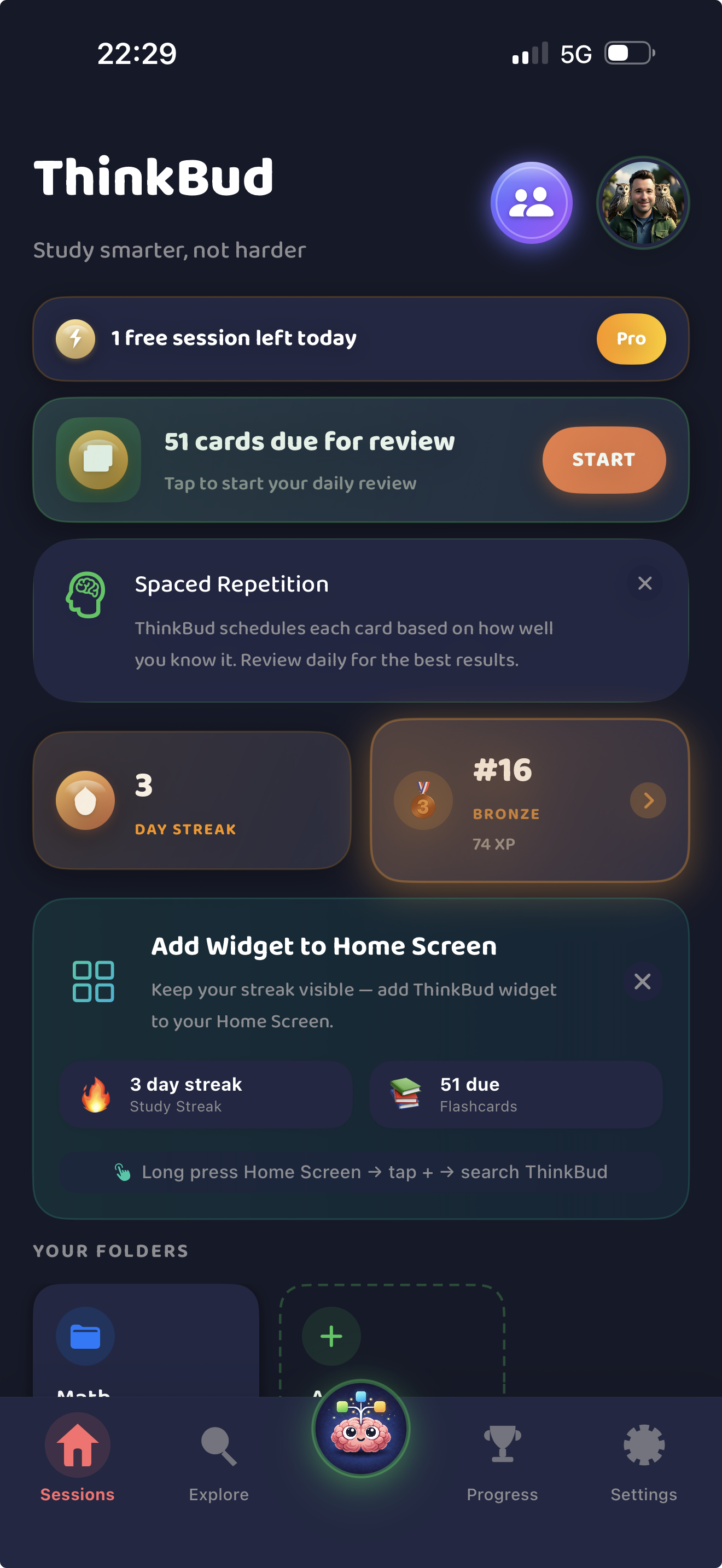
Dark Mode
No Accounts. No Tracking. Just Studying.
ThinkBud is built on the Apple stack — your study materials live in your private iCloud, and you authenticate with Game Center. No emails, no passwords, no third-party servers in your data path.
No Sign-Up
Auth is handled by Apple Game Center. No email collection, no password resets, no leaked credentials.
iCloud Private Database
Mind maps, flashcards, and progress live in your private CloudKit container. Apple-encrypted. Per-user. Never seen by us.
No IDFA, No ATT
Analytics is GDPR-compliant TelemetryDeck. We count events, not people. No tracking prompt because there is nothing to track.
AI Keys Stay on Server
All AI calls go through a Cloudflare Worker proxy authenticated by HMAC. API keys never ship in the app binary.
Group Chat Auth
Group messaging uses Apple-signed Game Center identity plus HMAC body signing. No phone numbers, no email lookup.
Truly Cancel-Anytime
Subscriptions are managed via the App Store. Cancel in Settings → Subscriptions. We never see your card details.
Frequently Asked Questions
What can I import into ThinkBud?
What learning tools does ThinkBud generate from one import?
What is FSRS-5 and why does it matter?
Can I study with friends?
How does the Weekly League work?
What export formats are available?
Is ThinkBud free?
Does it work offline?
Is ThinkBud available on iPad and Mac?
How private is ThinkBud?
What does the Educational App Store certification mean?
Who is ThinkBud for?
Stop Studying Harder. Start Studying Smarter.
Join the learners turning lectures, papers, and PDFs into mind maps, flashcards, and AI podcasts — and climbing the weekly league while they're at it.