

PromptKit
Your AI prompts. Organized. Shared. Launched.
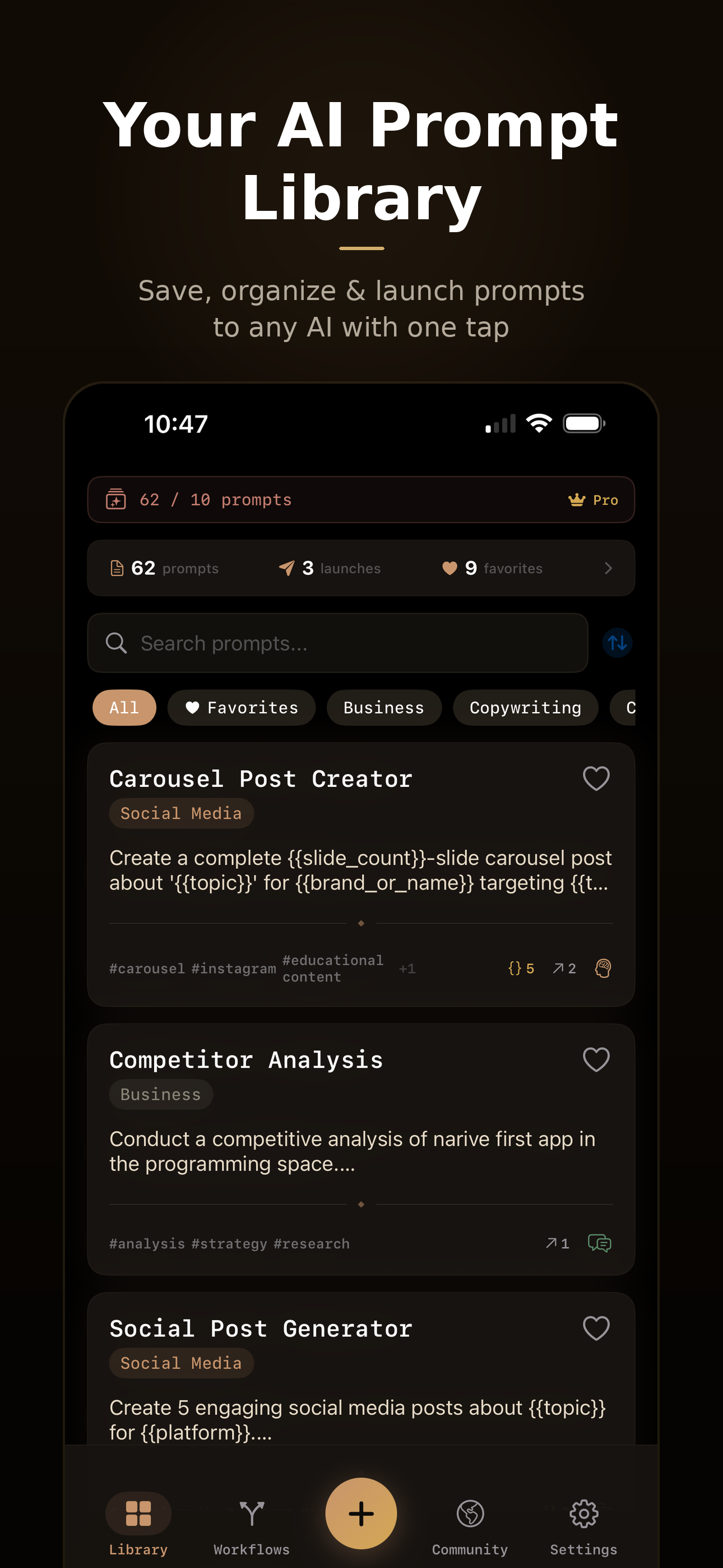
Save, organize, and launch AI prompts directly to ChatGPT, Claude, Gemini, and more. Build workflows, share with the community, and never lose a prompt again.
Code Review Expert
Review {{language}} code for bugs, security...
Marketing Copy Writer
Write {{tone}} copy for {{product}}...
Blog Post Workflow
3 steps73%
lose prompts regularly
68%
rewrite the same ones
4.2
apps used to store prompts
2.3h
wasted per week on prompt management
Everything Your Prompts Deserve
Stop treating your best prompts like disposable texts. PromptKit gives them a proper home.
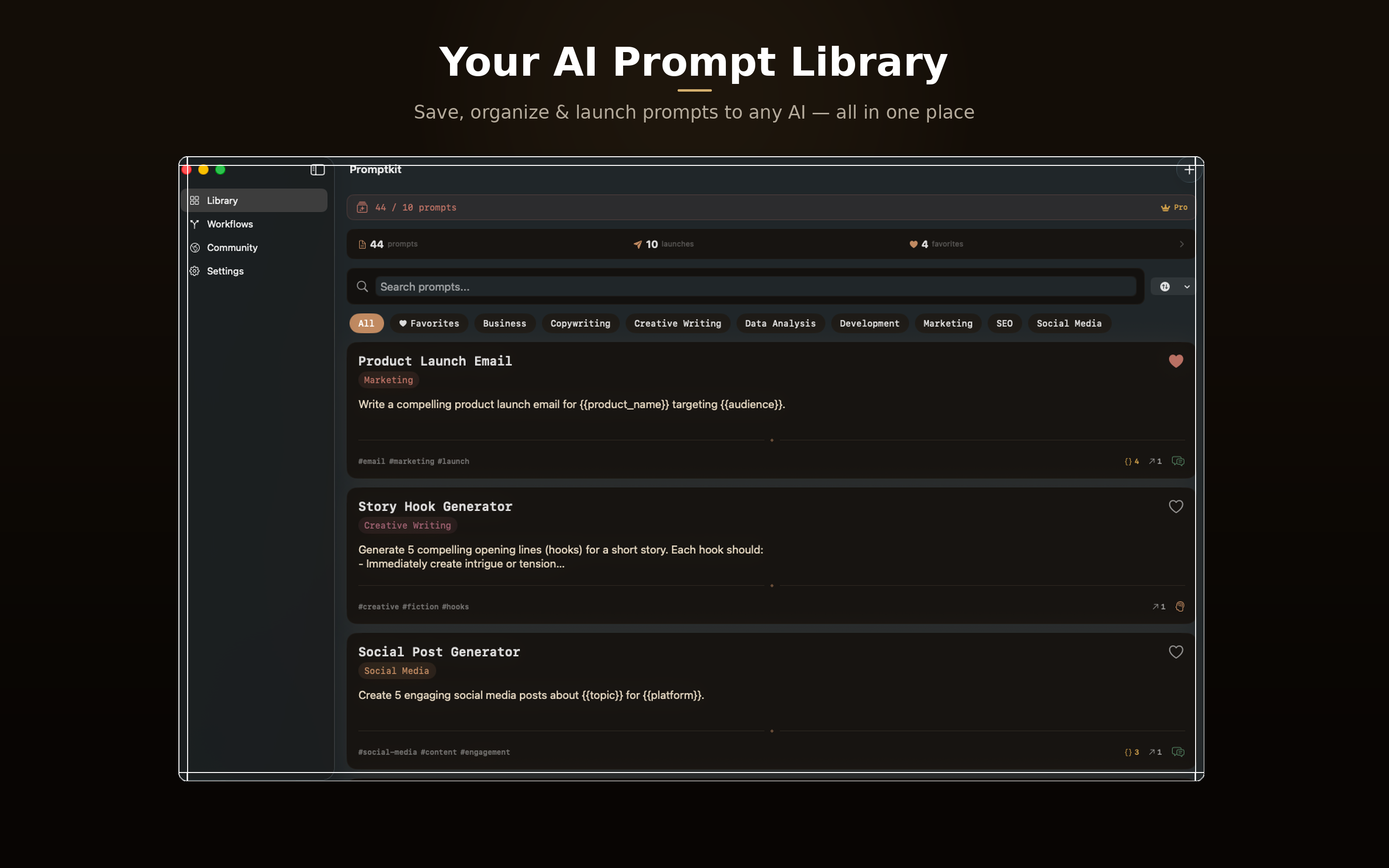
Prompt Library
Save all your best prompts in one place. Search, tag, categorize, and find any prompt instantly — no more digging through chat histories.
Variable System
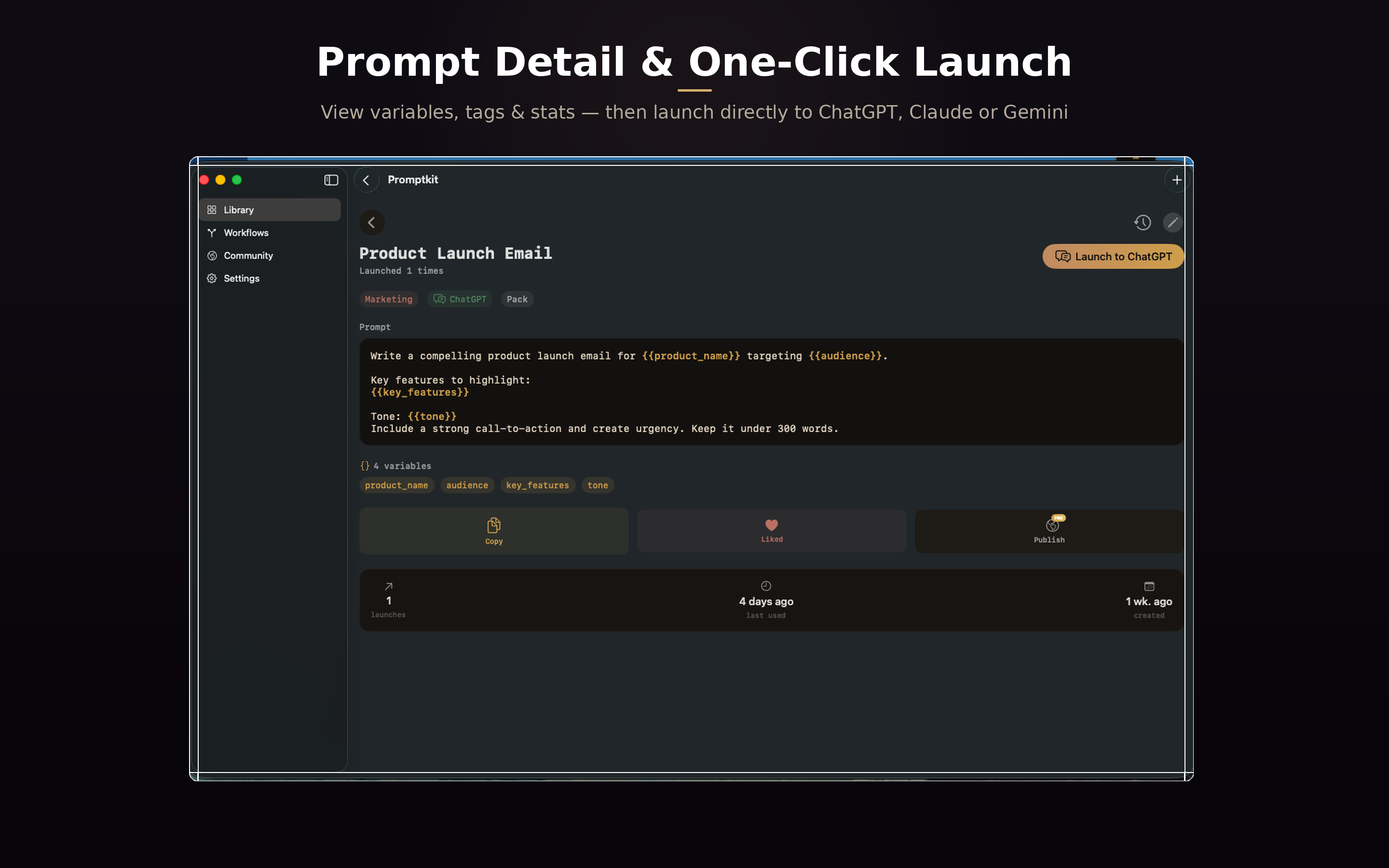
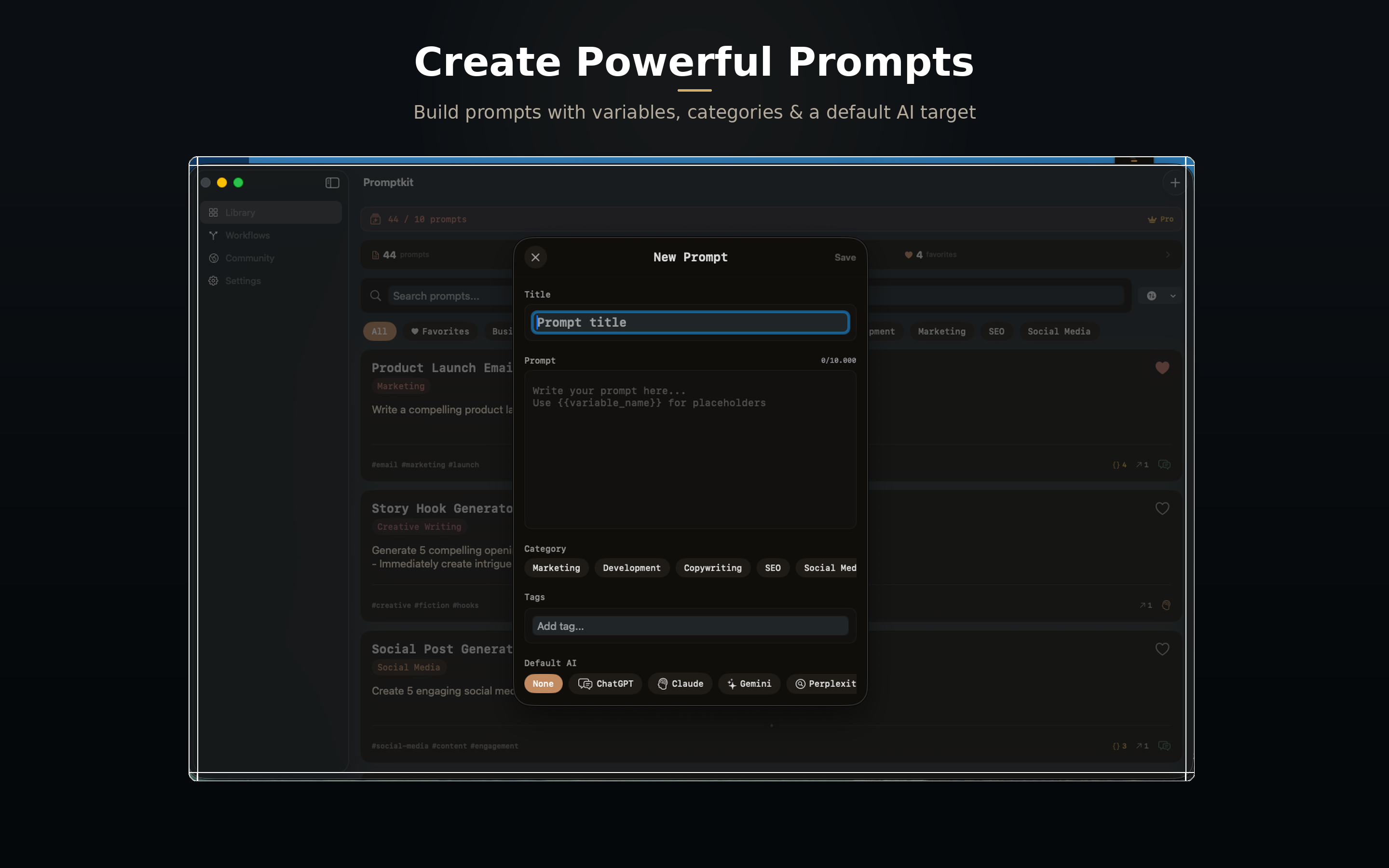
Add {{placeholders}} to any prompt. Fill in the blanks before launch — turn one prompt into a reusable template for any context.
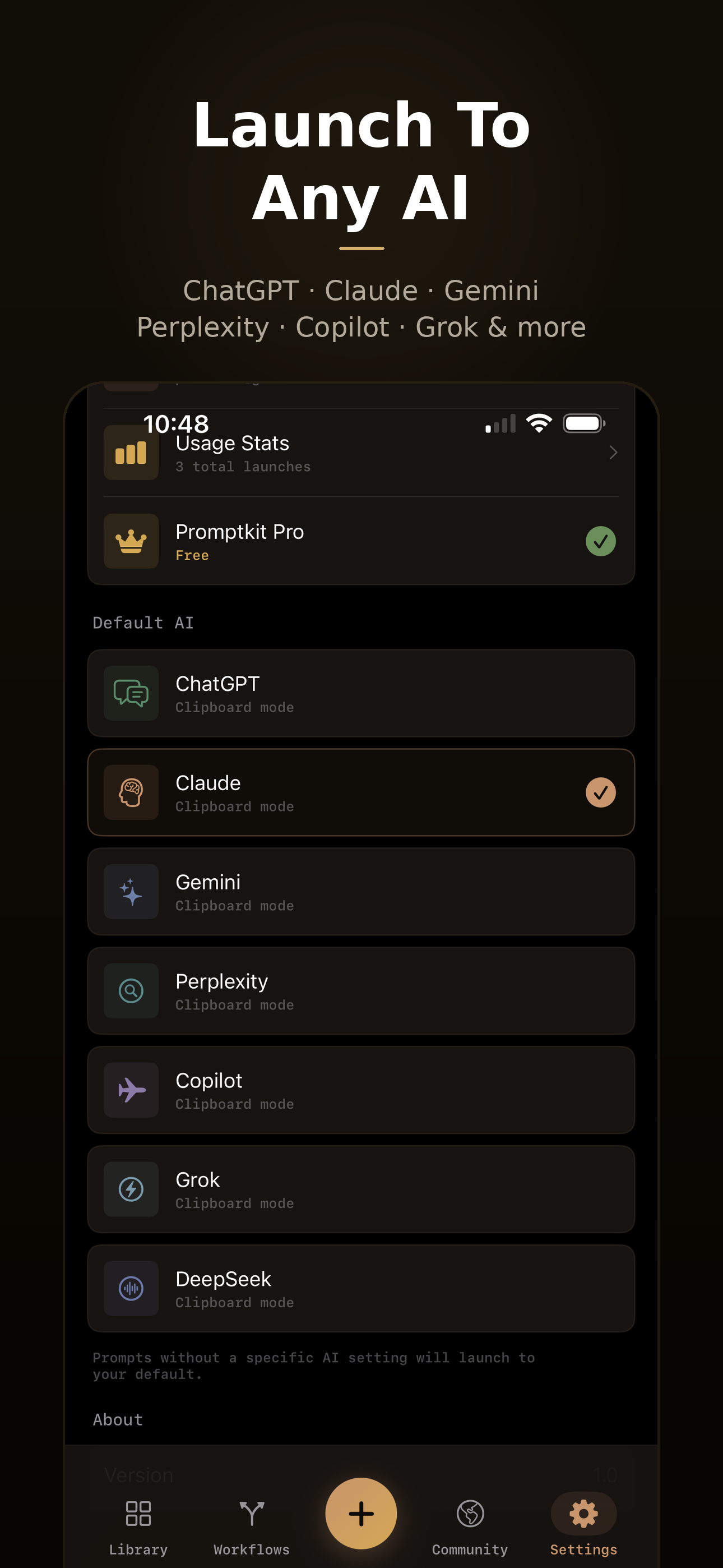
Launch to Any AI
Send prompts directly to ChatGPT, Claude, Gemini, Perplexity, or Copilot with one tap. Deep links, web, or clipboard — whatever works.
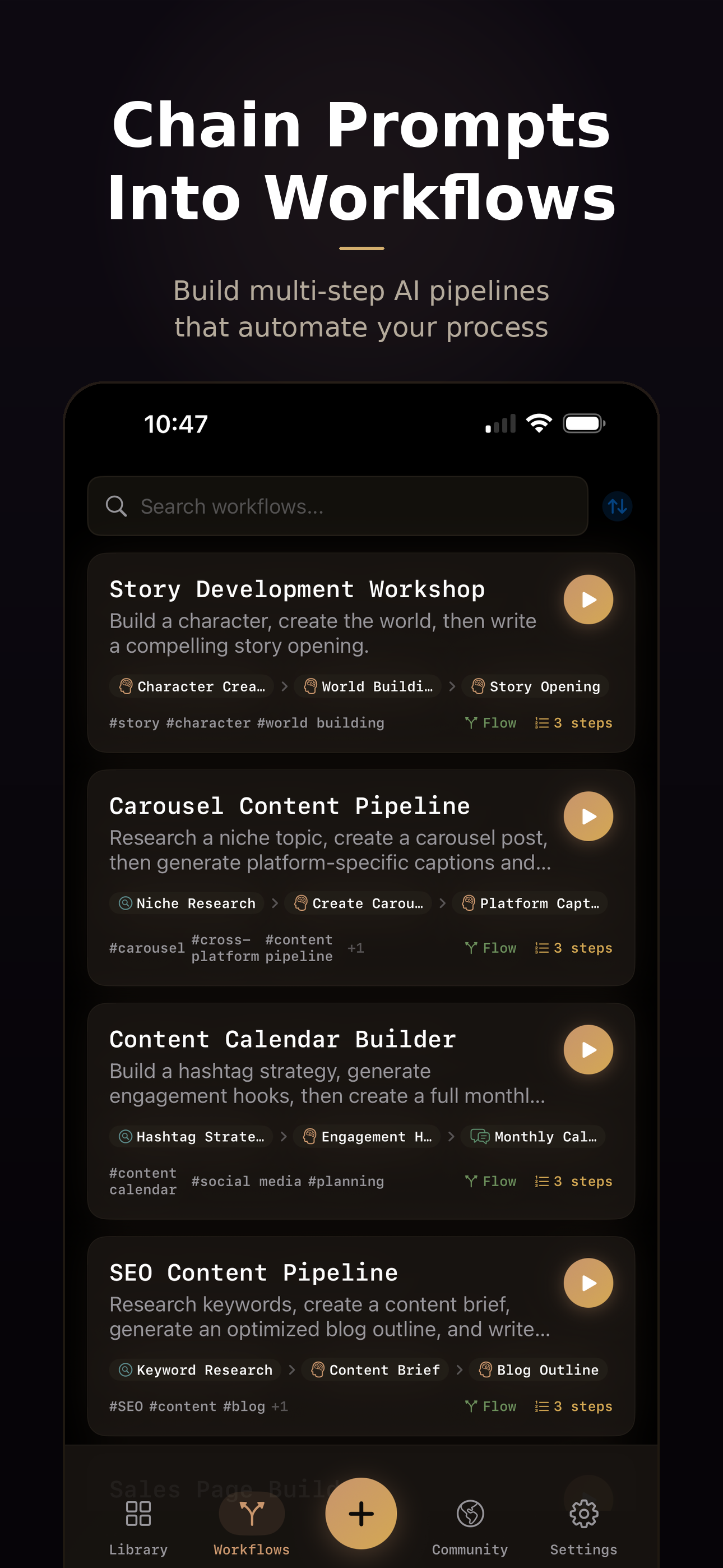
Workflow Builder
Chain prompts into multi-step workflows. Research → Draft → Polish — run them step by step with the right AI for each stage.
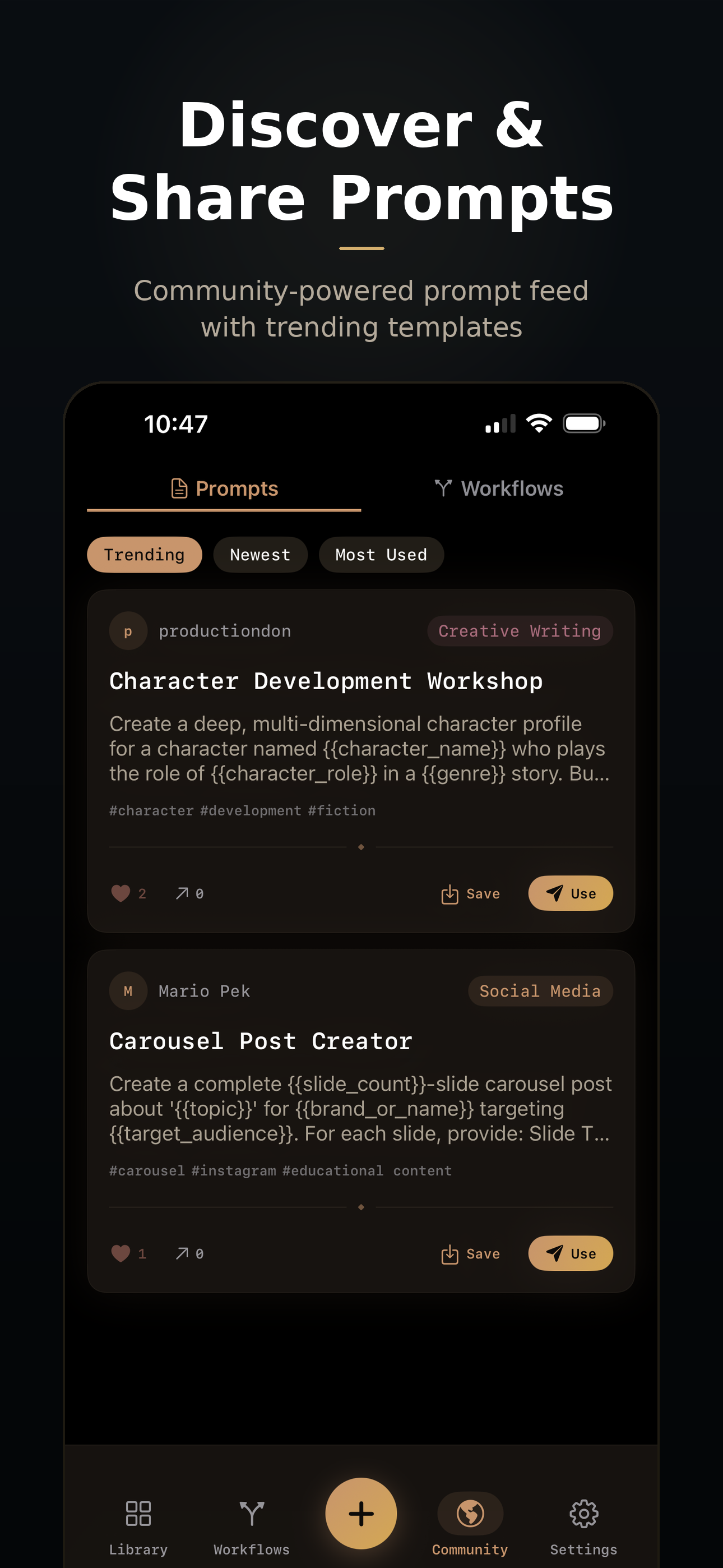
Community Feed
Browse trending prompts from other users. Save the best ones to your library, share yours with the world, and discover workflows you never thought of.
Cloud Sync
Your prompts everywhere. Real-time sync across iPhone and Mac with offline-first design — works without internet, syncs when connected.
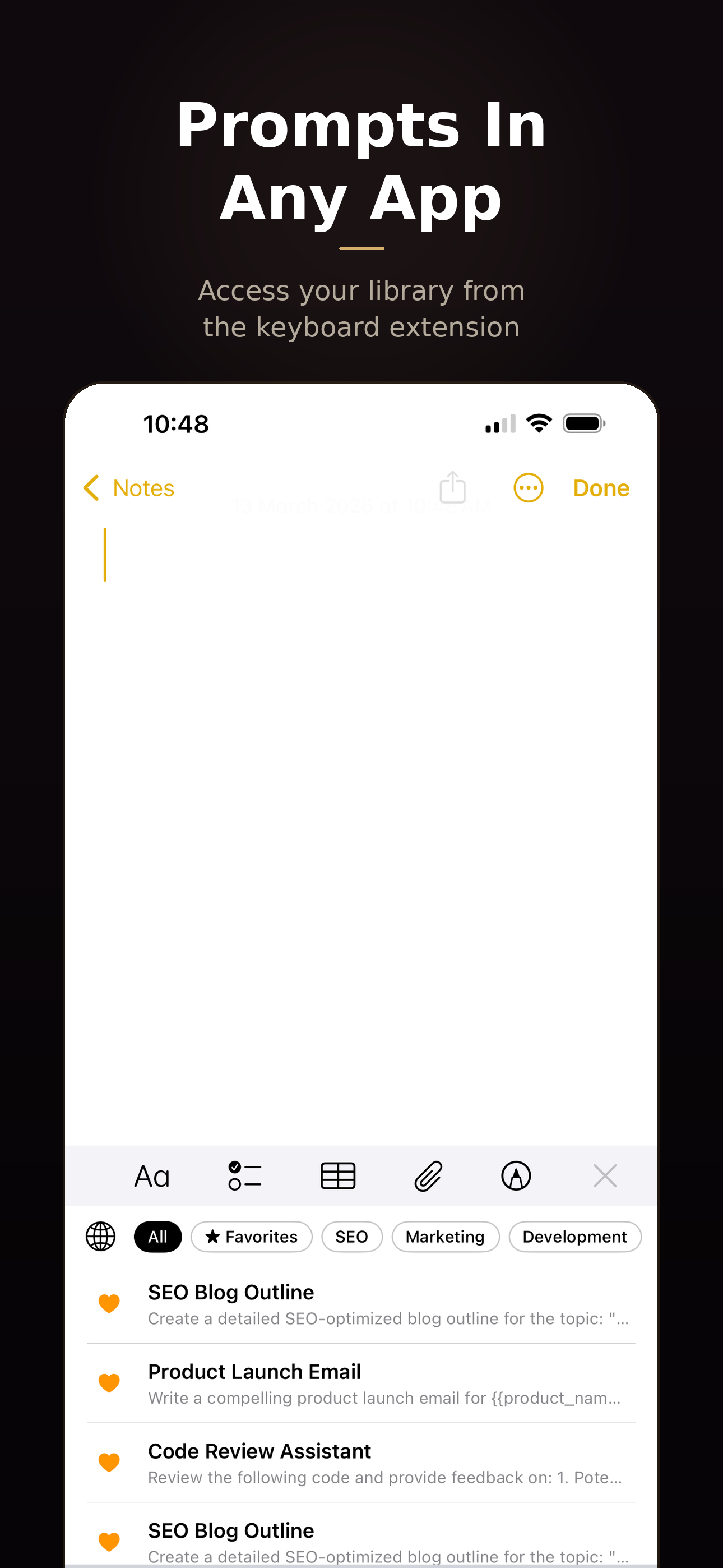
Keyboard Extension
Access your entire prompt library from any app on iPhone and iPad. No switching apps — your prompts are always one tap away on the keyboard.
Quick Actions & Menu Bar
Long-press the app icon for instant actions — New Prompt, Search, Workflows. On Mac, the menu bar gives you lightning-fast access without opening the full app.
Face ID Protection
Lock PromptKit behind Face ID for an extra layer of privacy. Your prompts may contain sensitive business data — keep them secure.
Built for Everyone
Full VoiceOver support, Dynamic Type, high-contrast mode, and reduced motion. PromptKit is designed to be usable by everyone, not just some people.
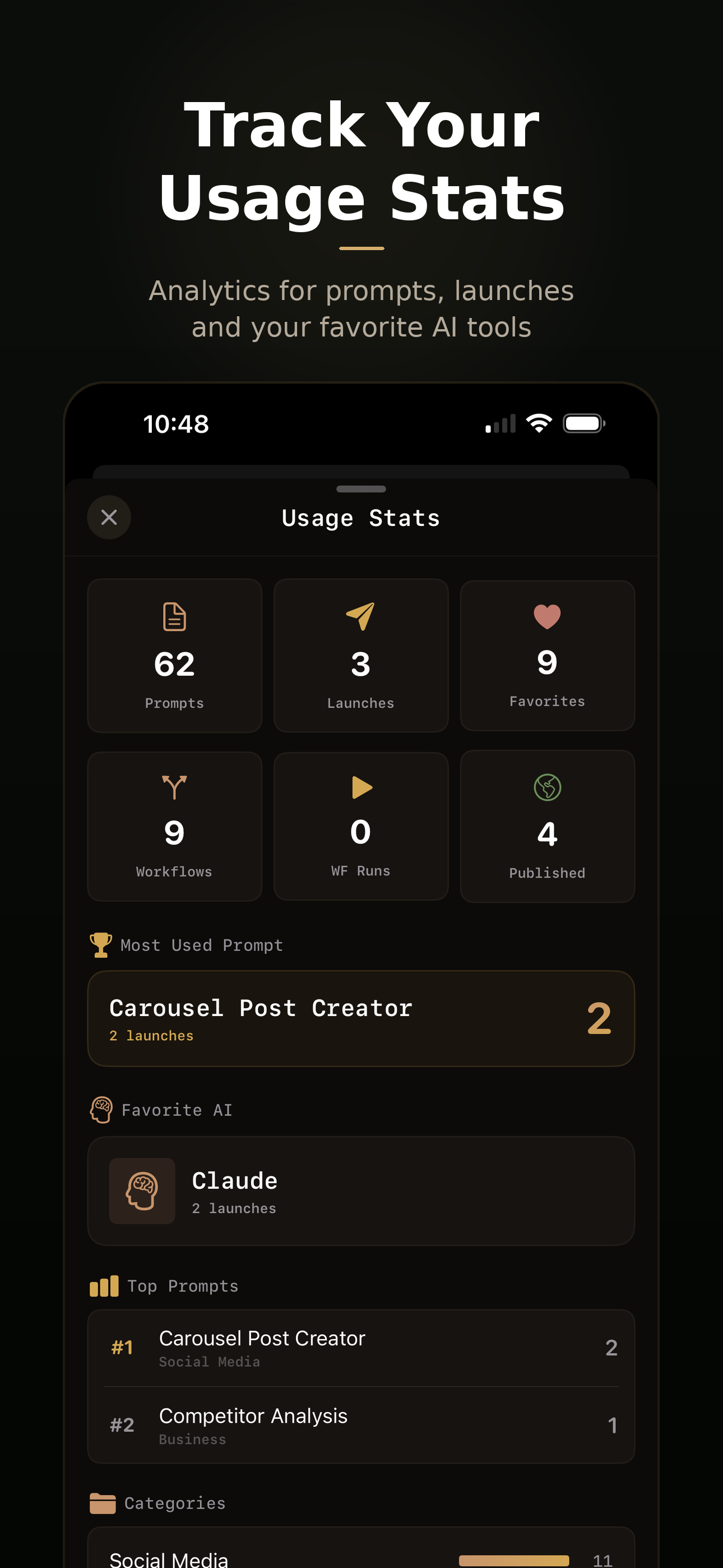
See It In Action
A native app that feels right at home on your iPhone and Mac.
iPhone
Mac
Deeply Native
PromptKit isn't a web wrapper. It uses Apple's platform APIs to put your prompts everywhere — the keyboard, the home screen, the menu bar. Things web apps can't do.
Keyboard Extension
Access your entire prompt library from any app. Writing in Mail, Safari, Slack, or Notes — pull up your prompts without switching apps.
Quick Actions
Long-press the app icon for instant access. New Prompt, Search Prompts, and Workflows — jump straight to what you need without opening the full app.
Menu Bar & Face ID
On Mac, access prompts from the menu bar without opening the full app. On iPhone, lock PromptKit behind Face ID to keep sensitive prompts private.
Built for Everyone
Great apps work for all people, not just some. We designed PromptKit from day one with Apple's accessibility frameworks at the core — not as an afterthought bolted on before launch.
Full VoiceOver Support
Every screen, every button, every prompt card is fully labeled and navigable with VoiceOver. Custom actions let you launch, favorite, and share prompts without seeing the screen.
Dynamic Type
Every text element scales with your preferred text size. From extra small to Accessibility XXL — PromptKit adapts its layout to stay readable and usable at any size.
High Contrast & Reduce Motion
Respects system-wide Increase Contrast and Reduce Motion settings. Borders sharpen, colors gain contrast, and animations gracefully step aside when you need them to.
Switch Control & Voice Control
Full compatibility with Switch Control and Voice Control. Navigate, create, and launch prompts using alternative input methods — no touch required.
"We believe technology should be accessible to everyone. PromptKit was designed with Apple's Human Interface Guidelines and accessibility frameworks at its foundation — not as a compliance checkbox, but as a core engineering principle."
Mario
Founder, NativeFirst
How It Works
Three taps from idea to execution.
Save Your Prompt
Write it once, add tags and variables. It lives in your library forever.
Fill Variables
Quick modal pops up for any {{placeholders}}. Customize for this specific use.
Launch to AI
One tap sends it to ChatGPT, Claude, Gemini — whichever AI fits the task.
Start With 200+ Curated Prompts
Pick your categories during onboarding. Expert-crafted prompt packs load instantly — no internet required.
Development
43 prompts
Marketing
35 prompts
Copywriting
28 prompts
SEO
19 prompts
Social Media
31 prompts
Data Analysis
24 prompts
Frequently Asked Questions
What AI tools does PromptKit support?
Is PromptKit free?
Does PromptKit work offline?
What are prompt variables?
Can I share prompts with my team?
Does PromptKit sync between iPhone and Mac?
Where Do Your AI Prompts Go to Die?
We surveyed 2,847 AI users about their prompt habits. The results were worse than we expected. Read the full story behind PromptKit.
Read the Blog PostMore from NativeFirst


Ready to Organize Your Prompts?
PromptKit is available now on iPhone and Mac. Download it, save your first prompt, and never lose a great idea again.