
Pulse v1 Ship Checklist — From Working App to Approved App
The gap between “the app works on my phone” and “the app is on the App Store” is roughly a tax bracket. Most of the work is the boring stuff: accessibility labels, performance audits, a privacy policy URL that resolves to a real page, screenshots that match the actual app, and a description that doesn’t oversell.
The good news is none of it is hard. The bad news is none of it gets done unless you have a checklist. Apple Review rejects something like 30% of v1 submissions, and almost always for the same five issues. This lesson is the checklist Pulse uses, plus the quick audits that catch each issue before submission.
By the end of this lesson, Pulse v1 is ready for TestFlight. Course 2 wraps. Course 3 — Atlas with TDD from line one — picks up where this leaves off.
Accessibility — five minutes that filters amateur from shipped
Run VoiceOver on your app for two minutes. The first time you do this, you will be embarrassed. Buttons that read “button”. Rows that read every label one by one across five swipes. Decorative images that the screen reader announces as “image, image, image.”
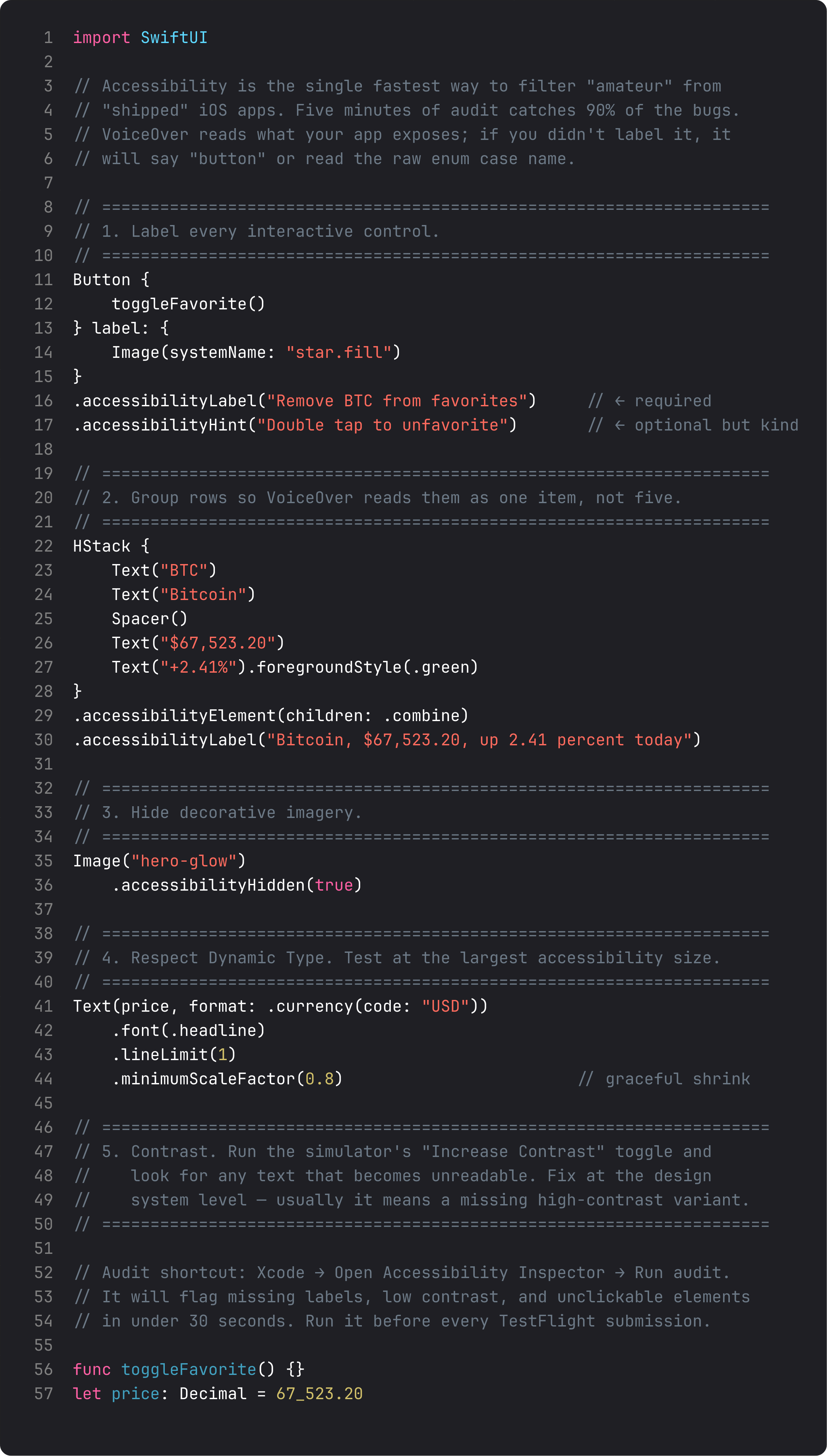
The five-minute audit:
- Label every interactive control. A star button is “button.” A star button with
.accessibilityLabel("Remove BTC from favorites")is genuinely usable. - Combine row content. Use
.accessibilityElement(children: .combine)so VoiceOver reads “Bitcoin, $67,523.20, up 2.41 percent” as one item, not as five separate swipes. - Hide decorative images. Anything purely visual (gradient hero, divider lines, badge backgrounds) gets
.accessibilityHidden(true). - Test at largest Dynamic Type. Settings → Accessibility → Display & Text Size → Larger Text → max. Anything that truncates or breaks layout, fix with
.lineLimitand.minimumScaleFactor. - Run the Xcode Accessibility Inspector audit. Window → Accessibility Inspector → Audit. It will flag missing labels, low-contrast text, and tappable areas under 44pt in about 30 seconds.
This is the single highest-leverage audit you can run on a v1. Apple Review explicitly checks for accessibility. So do the App Store editors who decide who gets featured.
Performance — the SwiftUI body re-evaluation storm
The most common SwiftUI performance bug isn’t slow algorithms or big lists. It’s an innocent-looking computed property that re-runs on every body call, which in turn fires on every state change, which in a long list can be hundreds of times per second.
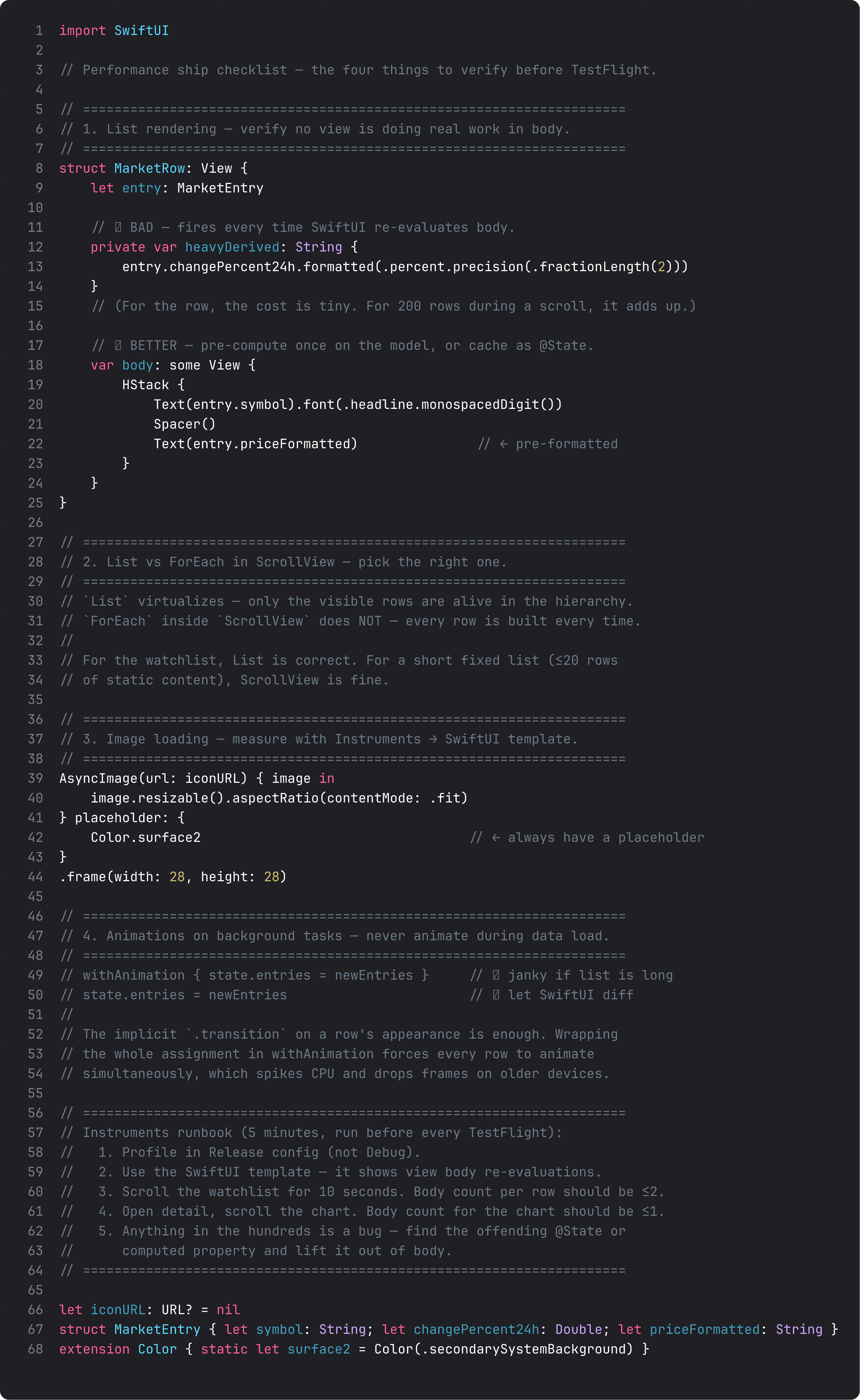
The Instruments runbook (5 minutes, Release config):
- Profile in Release. Debug builds have ~3-5x the body re-evaluation cost. Profiling Debug is profiling noise.
- Use the SwiftUI template. It shows view body counts per view per scroll. This is the magic.
- Scroll the watchlist for 10 seconds. Per-row body count should be ≤2. If it’s higher, you have a re-render bug — usually a parent passing a new closure or struct on every render.
- Open detail, scroll the chart. Chart body count should be ≤1. Charts are expensive — they shouldn’t re-evaluate on parent changes.
- Anything in the hundreds is a bug. Lift state up or down, memoize derived values, or break the offending view into a smaller leaf.
The two structural rules: prefer List over ScrollView { ForEach } (List virtualizes), and never wrap a state assignment in withAnimation if the affected view is a long list (every row animates simultaneously, which spikes CPU).
App Store metadata — the boring submission gate
The technical work is done. Now the part where v1 apps actually get rejected — and it’s almost always one of five things, all metadata or first-impression issues.
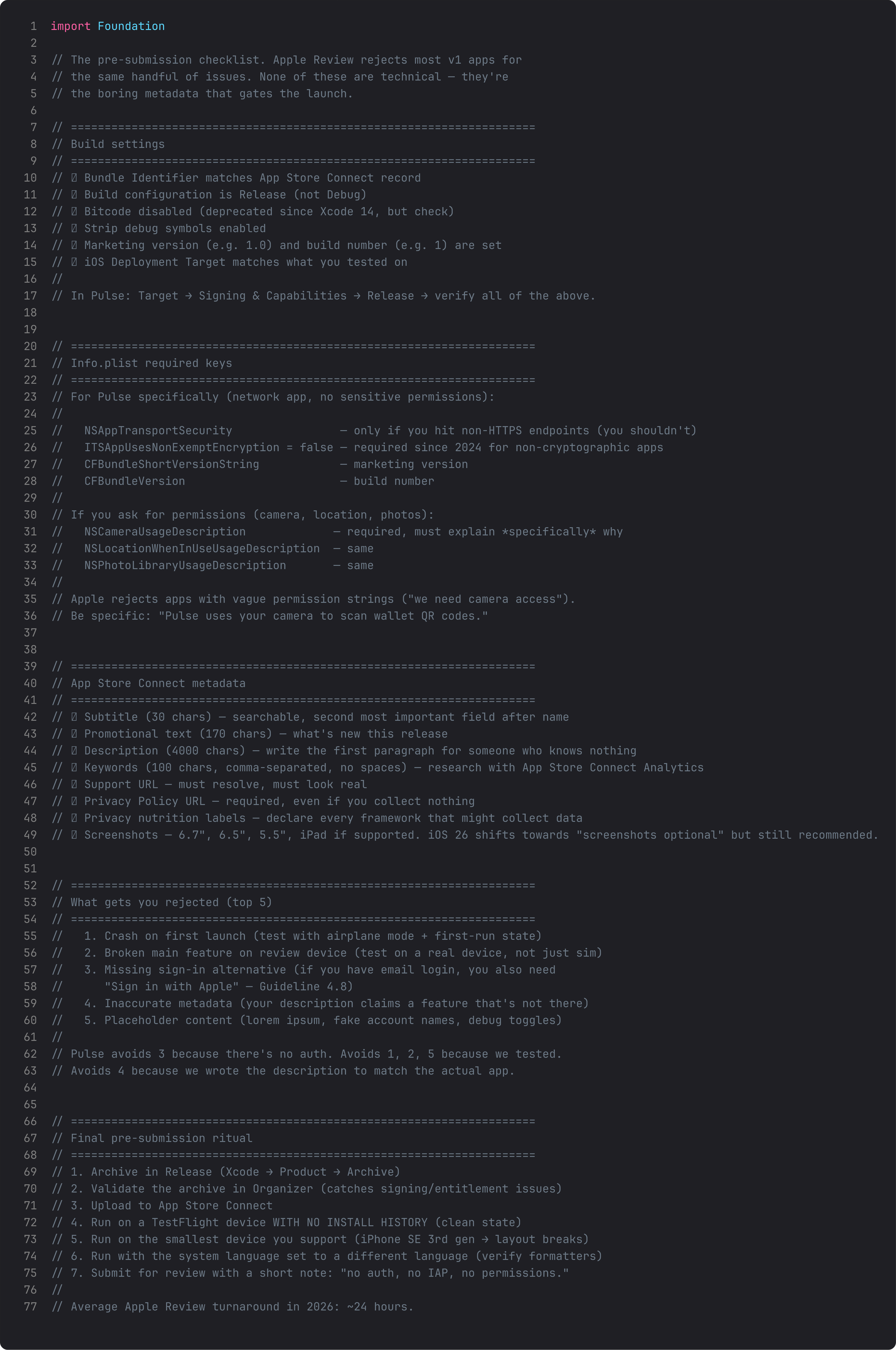
The top-five rejection reasons, in 2026 order:
- Crash on first launch. Test in airplane mode on a clean install. If
URLSession.datablows up because the offline path isn’t handled, that’s an automatic reject. - Broken main feature on the review device. Apple’s reviewer tests on a real iPad if you ship for iPad, and a real iPhone with a slow LTE connection. Test there.
- Missing Sign in with Apple. If you have email/social login, Guideline 4.8 requires Sign in with Apple as an equivalent option. Pulse skips this — no auth means no rejection on this.
- Inaccurate metadata. The classic: description claims “real-time price alerts” but the app only refreshes on pull-down. Match the description to what’s actually shipping.
- Placeholder content. Debug toggles, lorem ipsum, “Test User #2”, an “Internal” tab — all of it has to be gone or hidden before submission.
The pre-submission ritual:
- Archive in Release. Validate in Organizer (catches signing issues before upload). Upload.
- TestFlight on a device with no install history. Clean keychain, clean defaults, clean everything.
- TestFlight on the smallest device you support — iPhone SE 3rd gen breaks layouts most often.
- Run with system language set to German or Japanese for ~30 seconds — verify formatters, check for clipped strings, look for any hardcoded English.
- Submit with a short reviewer note. “No auth, no IAP, no permissions” cuts a day off review for simple apps.
Apple Review turnaround in 2026 is averaging ~24 hours. Most rejections come back overnight. Be ready to respond same-day.
What you’ve built
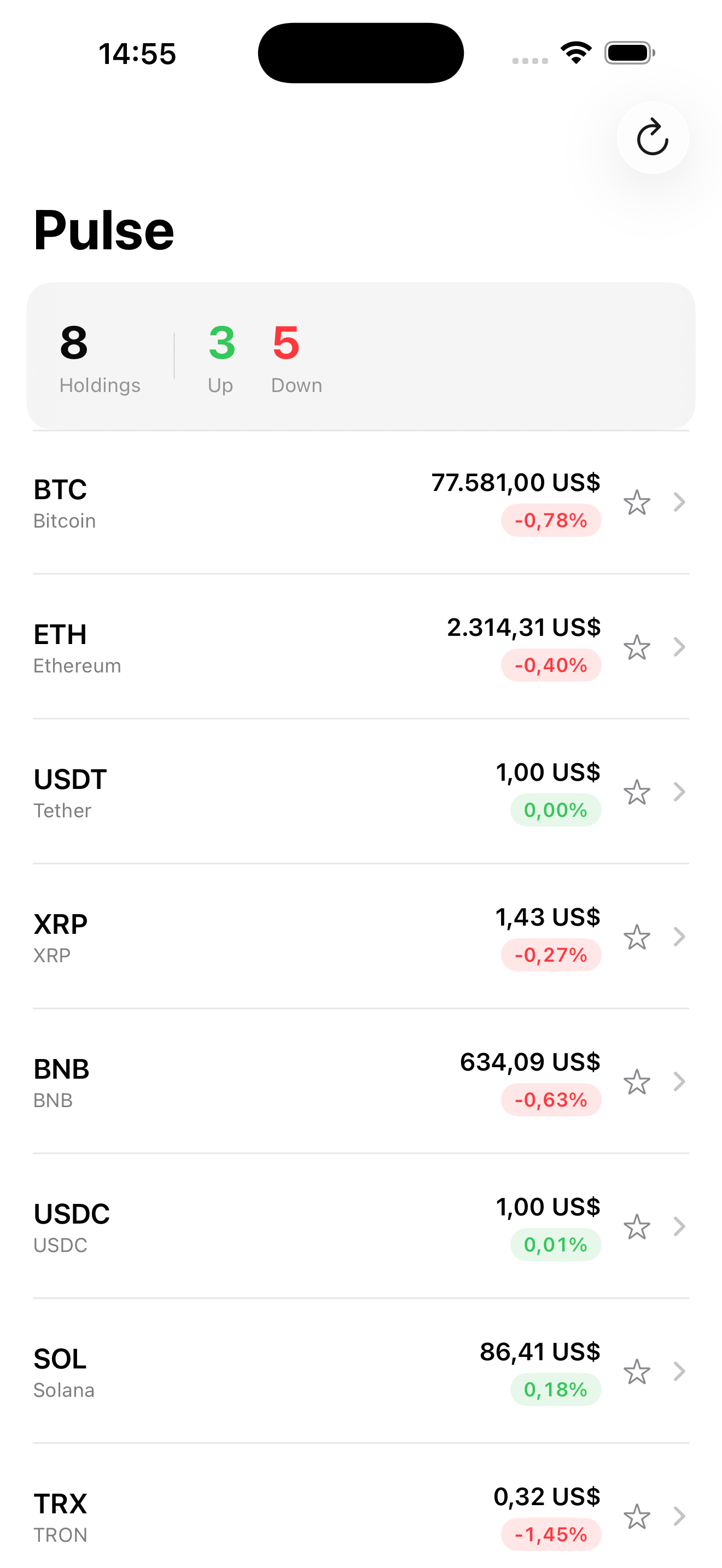
Sixteen lessons in, Pulse is a real app:
- MVVM with view-state classes, properly isolated with
@MainActorand tested withmakeSUT. - A protocol-driven networking layer with both Live and Mock implementations, covered by tests via dependency injection.
- SwiftData persistence for favorites with
@Attribute(.unique)and proper cascade rules. - A stale-while-revalidate cache that survives offline, network errors, and app restarts.
- A custom design system with reusable cards, buttons, and pill components.
- Symbol effects, content transitions, and matched geometry animations.
- Charts with selection, gradient fills, and inline annotations.
- Strict Swift 6 concurrency with the right
@MainActor/Sendable/actorannotations. - Cooperative cancellation via
.task,.task(id:), and stored Tasks where needed. - Swift Testing coverage of the view-state’s full lifecycle, async behavior, and cache contract.
- An accessibility pass and performance audit that lock in the user-facing quality bar.
That’s a shippable app. Not a tutorial-grade demo, not a “you’d never ship this” sandbox — a real iOS app you could put on the App Store today, that uses every meaningful pattern in modern SwiftUI.
ABNetworking is the same shape, scaled for production. ThinkBud is what these patterns look like with two years of iteration on top. The leap from Pulse to ThinkBud is half a year of refinement and a proper team — but the bones are the same.
Takeaway
Sixty minutes of audit before submission catches 95% of what gets v1 apps rejected. Five-minute accessibility pass, five-minute Instruments runbook, the App Store metadata checklist, and a clean-install TestFlight run. Don’t skip any of them. The cost of skipping is a 24-hour rejection cycle and a worse first-week of reviews.
Course 2 is done. You can build, ship, and maintain a production-quality SwiftUI app from a clean folder.
Next up: Course 3 — SwiftUI at Scale, building Atlas. Modular SPM packages, CloudKit sync, widgets, lock-screen complications, App Intents, and test-driven development from line one. Every feature in Course 3 starts with a failing test. We’ll build the makeSUT discipline into a habit, write zero “let me just check it works” code, and ship a multi-target app organized the way Apple’s own teams organize their work. See you there.
NativeFirst Team
EditorialThe NativeFirst team — engineers and designers building native Apple apps and writing the courses we wish we had when we started.
Comments
Leave a comment