
Swift 6 Strict Concurrency — @MainActor, Sendable, and Reading the Errors
You’ve been writing Swift 6 strict-concurrency code for ten lessons now and probably haven’t noticed because Pulse never made the compiler unhappy. That’s the point: when the annotations are right, you don’t think about them. When they’re wrong, you’ll lose an afternoon to one error message. This lesson is the manual you wish you had.
Three concepts cover 95% of what you’ll meet: @MainActor (run this on the main thread), Sendable (this value is safe to ship across actors), and actor (your own isolation domain for shared mutable state). The fourth — nonisolated — is the escape hatch when you need it.
Strict concurrency is not optional in 2026 Swift. The compiler runs full data-race analysis. Every line of async code Pulse ships compiles cleanly because we’ve been writing it correctly. When your code doesn’t, you’ll see one of four diagnostic messages — and the fix is almost always one of four small refactors.
Actor isolation — @MainActor and your own actors
@MainActor is the annotation you’ve used most. It says: “every property and method on this type runs on the main thread.” That’s why SwiftUI views, which always render on main, can call into a @MainActor view-state without ceremony.
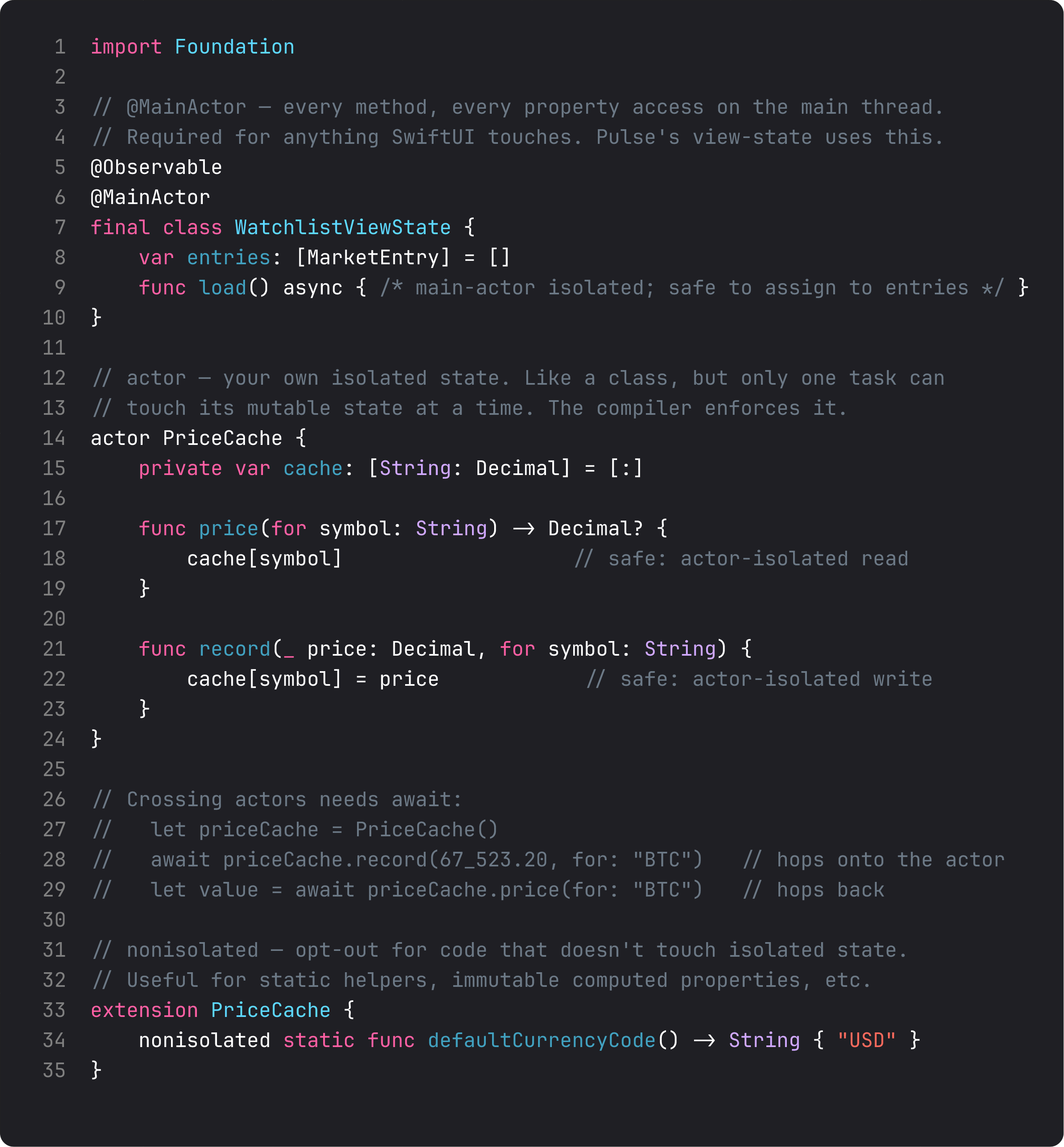
Three rules:
@MainActorfor anything that touches UI. SwiftUI’s view trees, view-states, anything that updates@Stateor reads from@Environmentshould be main-actor isolated. Add the annotation at the type level (whole class) or method level (one specific entry point).actorfor your own isolation domain. APriceCacheactor has its own queue; only one task can read or write its mutable state at a time. The compiler enforces it. Use this for shared mutable state that lives outside the main thread (background caches, network connection pools, in-memory KV stores).nonisolatedis the opt-out. Static helpers, immutable computed properties, methods that don’t touch isolated state — mark themnonisolatedso callers don’t need toawait.
Crossing actor boundaries requires await. The await isn’t a performance cost — it’s the compiler signal that “this call may suspend.” It’s also the signal that you’re touching shared state, which is exactly when you want to think.
Sendable — “safe to ship across actors”
Sendable is the conformance that says “I’m okay to be shipped from one actor to another without the compiler losing sleep.” Most of your value types qualify automatically; classes don’t.
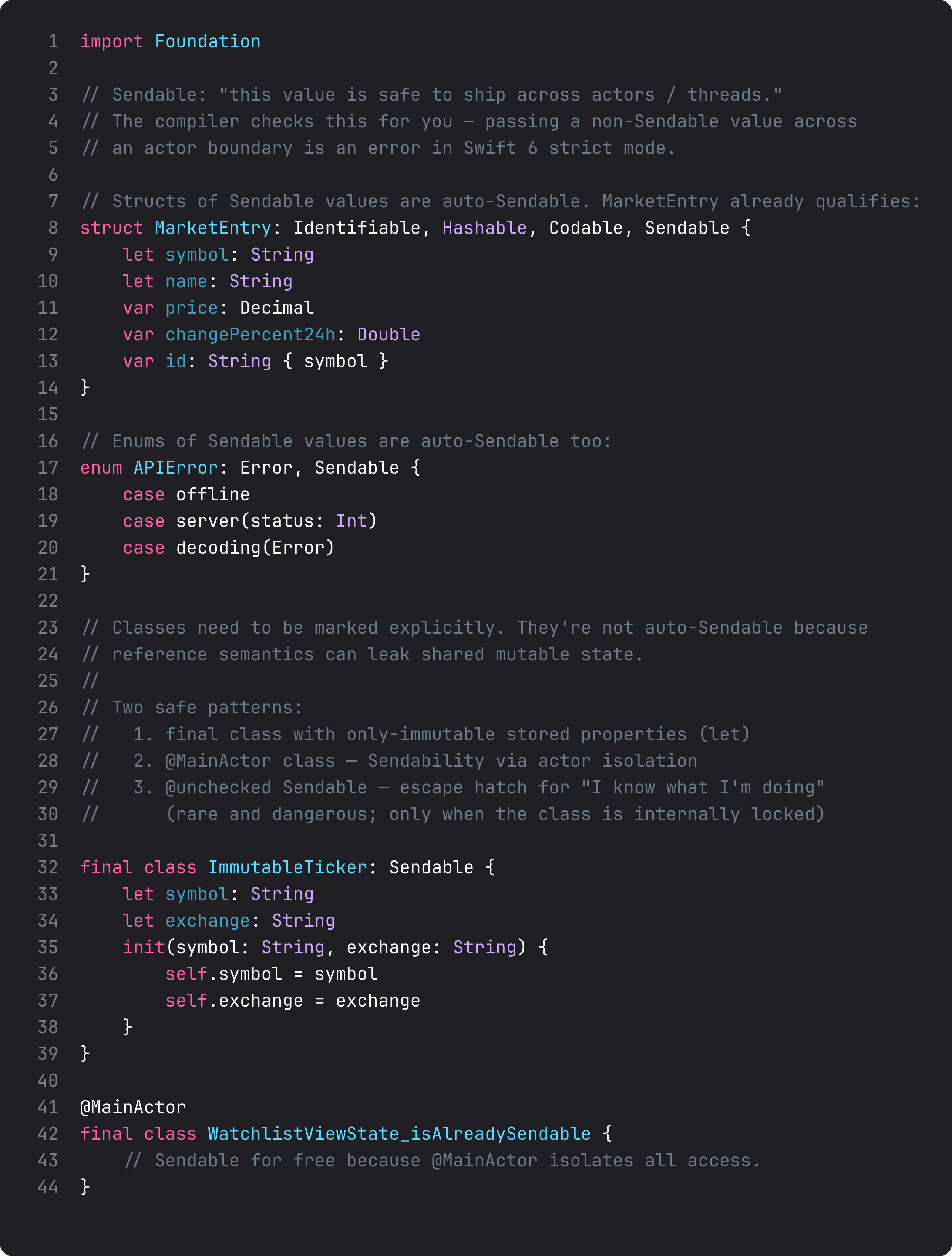
What conforms automatically vs needs annotation:
- Structs of Sendable members — auto.
MarketEntry(struct of String/Decimal/Double, all Sendable) gets it for free. - Enums of Sendable cases — auto.
LoadState,APIError— auto. - Classes — never auto. Class instances have reference semantics, so the compiler can’t prove safety. Three explicit options:
final class Foo: Sendablewith onlyletproperties.@MainActor final class Foo— Sendability via main-actor isolation.@unchecked Sendable— the escape hatch for “I know what I’m doing” (e.g., a class with internal locking). Rare and dangerous.
The line that surprises people: @MainActor makes a class Sendable for free. That’s why Pulse’s view-states cross from Task { ... } to view code without compiler complaints — the isolation provides the guarantee.
Reading the four diagnostics that cover 90% of cases
Most concurrency errors fall into four buckets. Knowing the message → fix mapping is the difference between an hour of frustration and a 2-line edit.
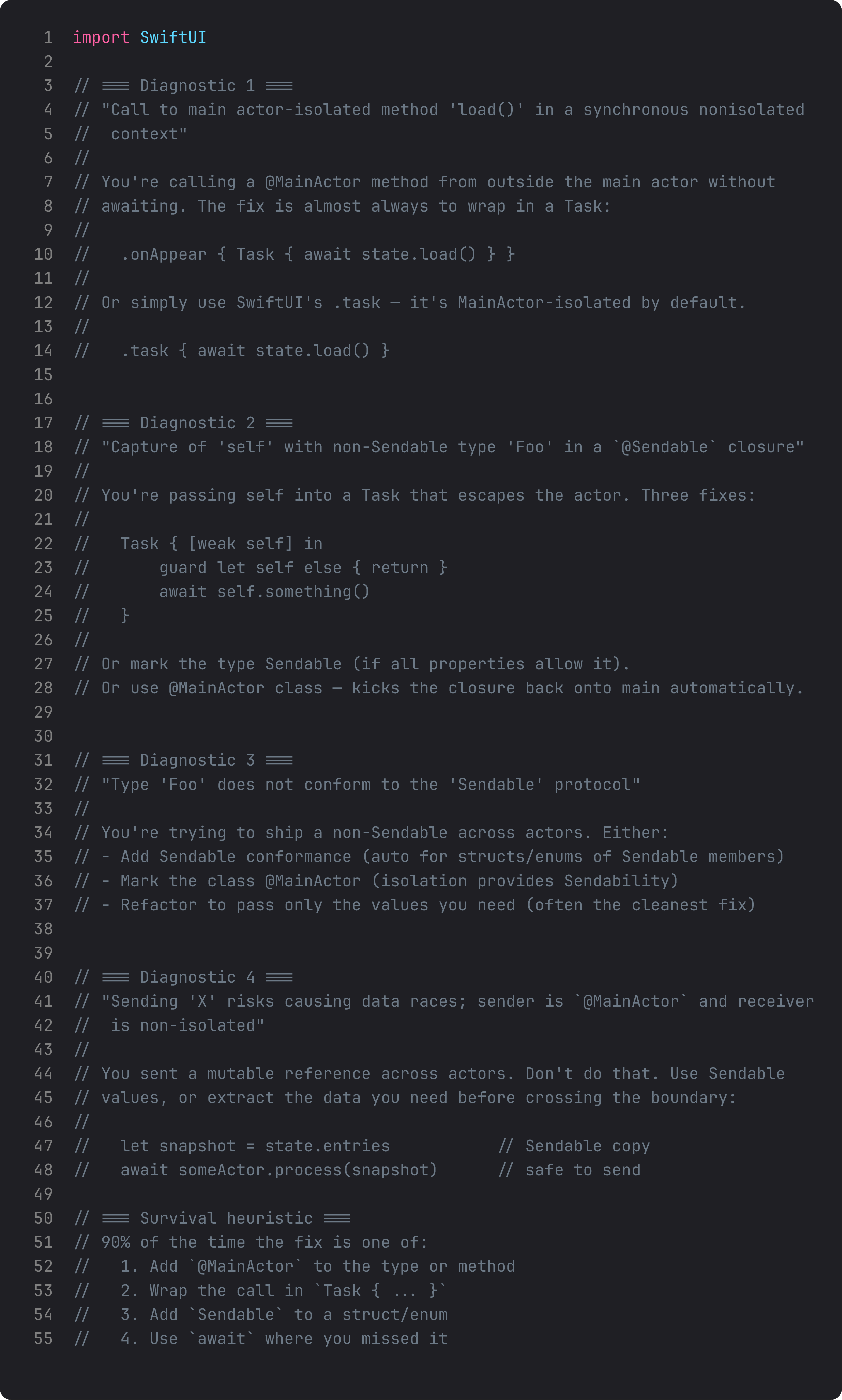
The four errors:
- “Call to main actor-isolated method … in synchronous nonisolated context” → wrap in
Task { await ... }, or use SwiftUI’s.taskmodifier. - “Capture of ‘self’ with non-Sendable type … in @Sendable closure” → use
Task { [weak self] in ... }or mark the type@MainActor. - “Type ‘X’ does not conform to Sendable” → add Sendable conformance, mark
@MainActor, or pass only the values you need (often the cleanest). - “Sending ‘X’ risks data races” → extract a Sendable snapshot before crossing the actor boundary, or refactor the receiver to be on the same actor.
ThinkBud’s migration to Swift 6 strict mode took about a day and a half. The cleanup pattern was almost mechanical: read the error, apply one of the four fixes, move on. The real cost was the first fix; after that, the same patterns repeated.
A trap I see weekly: silencing diagnostics with @unchecked Sendable
Tempting one-liner when you’re tired of fighting the compiler:
final class SharedState: @unchecked Sendable {
    var entries: [MarketEntry] = []   // ← actually mutable, not actually safe
    func update(_ newEntries: [MarketEntry]) {
        entries = newEntries           // ← no synchronization
    }
}
@unchecked Sendable tells the compiler “trust me, this is safe.” If you’re using it because the compiler was actually right and the code has a real race, you’ve just turned a compile-time error into a runtime data race. Those are 100x harder to debug.
Use @unchecked Sendable only for classes with internal locking (e.g., a class with os_unfair_lock protecting all access). For everything else, use @MainActor, an actor, or a final class with all-let properties. The compiler is on your side; don’t override it without understanding what you’re hiding.
What it looks like running
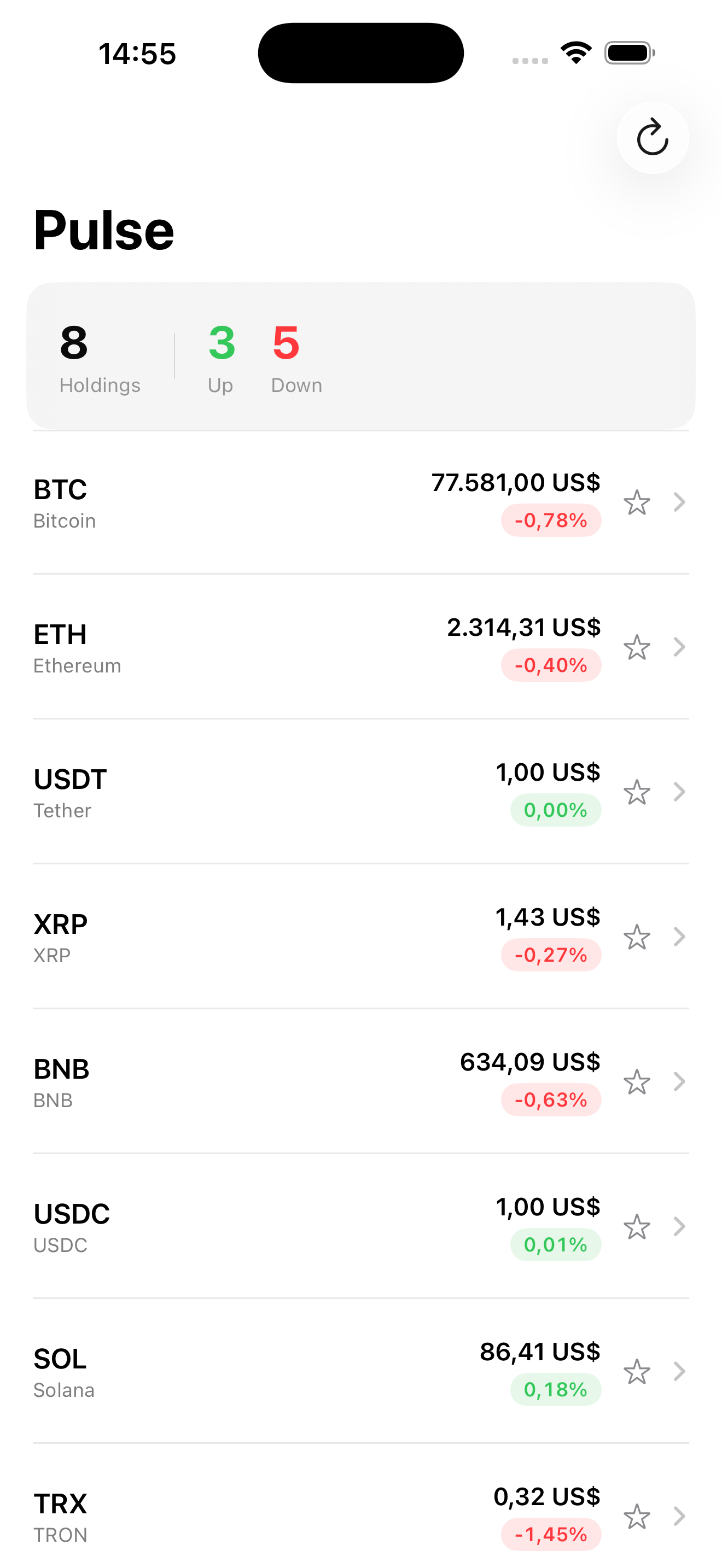
Visually, Pulse looks the same as lesson 12. Underneath, every async call is annotated correctly: the view-state is @MainActor, the repository is Sendable, the cache is non-isolated with let storage. Strict concurrency is on. Zero data race warnings. The app would break under heavy concurrent use without these annotations, but because they’re in place, there’s nothing to see.
That’s what good concurrency looks like: invisible.
Takeaway
@MainActor for UI-touching code. actor for shared mutable state. Sendable for types that cross actor boundaries. nonisolated as the opt-out for code that doesn’t need isolation. Read the four common errors above, match each to one of four fixes, move on.
Don’t reach for @unchecked Sendable to silence the compiler — it’s lying to you for runtime crashes you’ll have to debug later.
Next lesson: task cancellation. The flip side of structured concurrency — when does await return CancellationError, why does your loading spinner outlive the screen if you skip this, and the .task(id:) pattern that fixes it.
NativeFirst Team
EditorialThe NativeFirst team — engineers and designers building native Apple apps and writing the courses we wish we had when we started.
Comments
Leave a comment