
12 Claude Code Commands I Actually Use Every Day (Not the Ones You Think)
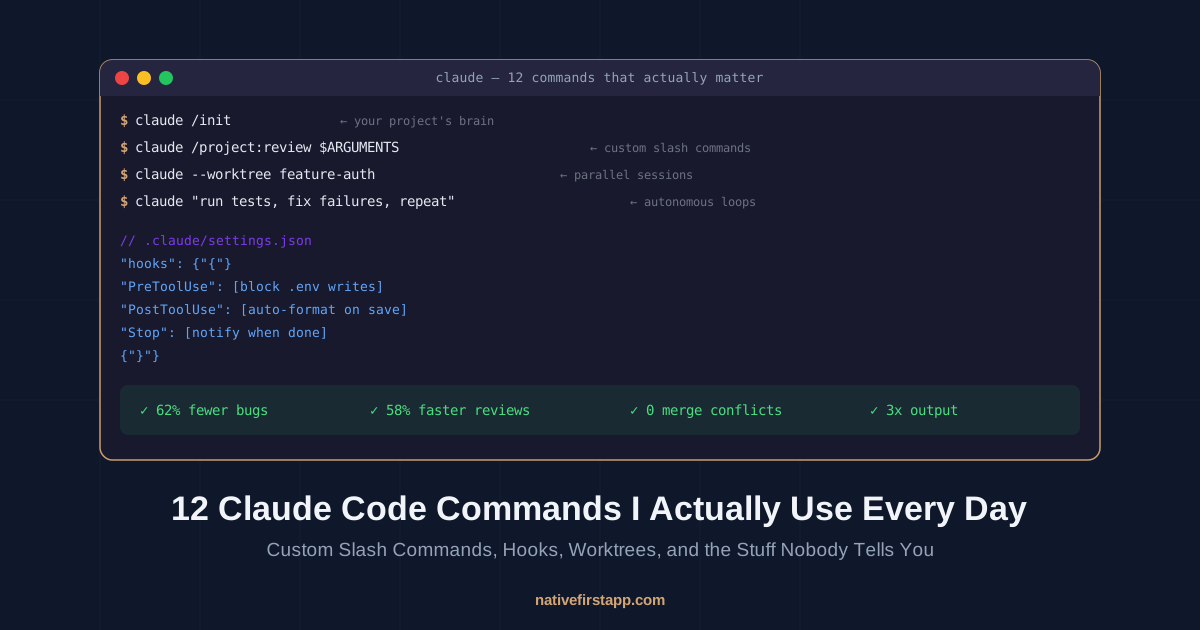
I’ve been using Claude Code every day since it launched. My terminal history is embarrassing — 80% of it is Claude. I’ve built entire apps with it, debugged production fires at 1 AM with it, and once accidentally let it rewrite a database migration that I then shipped to production without reading. (It was fine. But I aged three years in twenty minutes.)
A few days ago I saw a Medium post by a CTO in Berlin claiming Claude Code commands cut his dev time by 60%. Good article. But it read like a clean press release — here are 10 commands, copy them, you’re welcome.
Real life is messier. So here are the 12 commands and workflows I actually use daily, including the mistakes I made learning them, the weird edge cases nobody warns you about, and the one hook that saved me from myself at 2 AM.
1. /init — The Two Minutes That Save You Hours
Most people either skip this entirely or run it once and forget about it. Both are wrong.
claude /initThis scans your codebase and generates a CLAUDE.md file — basically a cheat sheet that gets injected into Claude’s brain at the start of every session. Your tech stack, your conventions, your “don’t touch this folder” rules.
Here’s what I learned the hard way: don’t treat it as a one-time thing. I update our CLAUDE.md every time Claude gets something wrong. Wrote a test in the wrong framework? Add it. Used the wrong import style? Add it. It’s a living document, not a birth certificate.
The official best practices recommend keeping it under 200 lines. I agree. If your CLAUDE.md reads like a novel, Claude spends tokens reading your autobiography instead of writing code.
Pro tip: Don’t add it to .gitignore. Commit it. Your teammates benefit from the same context, and it becomes documentation that evolves with your codebase.
2. Custom Slash Commands — The Real Game Changer
This is where Claude Code goes from “nice chatbot” to “how did I live without this.”
Create a .claude/commands/ folder in your project. Drop a Markdown file in it. That file becomes a slash command. That’s it. No config, no plugins, no npm install.
Here’s my daily driver — a code review command:
{/* .claude/commands/review.md */}
---
allowed-tools: Read, Grep, Glob, Bash(git diff:*), Bash(git log:*)
description: Review code changes for bugs, security issues, and style
---

Review the following code changes. Be thorough but concise.

Focus on:
1. Security vulnerabilities (SQL injection, XSS, auth bypass)
2. Logic errors and edge cases
3. Performance issues
4. Style violations per our CLAUDE.md conventions

For each issue found, rate severity (critical/warning/info) and suggest a fix.

Target: $ARGUMENTS
Now I just type:
/project:review HEAD~3..HEADAnd I get a structured code review of my last 3 commits. No copy-pasting prompts. No explaining what I want for the fifth time today.
I have about 8 of these. A /project:fix-issue that reads a GitHub issue number and proposes a fix. A /project:test-gen that writes tests for a specific file. A /project:deploy-check that runs through a pre-deployment checklist.
The Claude Command Suite on GitHub has 216+ commands if you want a head start. But honestly? Build your own. The best commands are the ones shaped to your workflow, not someone else’s.
3. Hooks — The Guardrails That Actually Guard
This is the feature that separates “I use Claude Code” from “Claude Code is part of my infrastructure.”
Here’s the difference between CLAUDE.md rules and hooks: if you write “never modify .env files” in your CLAUDE.md, Claude will probably listen. If you set up a PreToolUse hook that blocks writes to .env files, it will always block them. Guaranteed. Deterministic.
My .claude/settings.json has three hooks that I consider non-negotiable:
Hook 1: Block dangerous file writes
A PreToolUse hook that returns exit code 2 (deny) if Claude tries to modify .env, credentials.json, or anything in the migrations/ folder without me explicitly approving it. I learned this one the hard way. Remember that database migration story from the intro? Yeah.
Hook 2: Auto-format on every edit
A PostToolUse hook that runs Prettier (or whatever formatter you use) every time Claude modifies a file. No more “Claude wrote functional code but with tabs mixed with spaces and I want to cry.”
Hook 3: Desktop notification on completion
A Stop hook that pings me when Claude finishes a task. I kick off a big refactor, switch to another terminal, and get a native notification when it’s done. No more staring at a terminal waiting.
The DataCamp hooks tutorial has a great walkthrough if you want to set these up. GitButler’s guide goes even deeper.
4. --worktree — Parallel Sessions Without the Pain
This one changed my workflow more than any other feature.
claude --worktree feature-authThis creates an isolated copy of your repo in a separate directory and starts a Claude session in it. You can open another terminal and run:
claude --worktree bugfix-sidebarNow you have two Claude sessions working simultaneously, each on its own branch, each with its own files. Zero interference. No merge conflicts. No “wait, which terminal is doing what?”
I routinely run 3-4 of these in parallel. One is building a feature. One is writing tests. One is refactoring a module. They all finish on their own branches, and I review and merge at my pace.
Add --tmux if you want them running in background Tmux sessions. Add .claude/worktrees/ to your .gitignore so the directories don’t show up as untracked files.
The cleanup is automatic: if a worktree session doesn’t make any changes, it gets deleted when you exit. If it has commits, Claude asks if you want to keep it. incident.io wrote a great post about how they use this exact workflow to ship faster.
5. Esc Esc — The Undo Button Nobody Uses
Claude went off the rails. It started refactoring a file you didn’t ask it to touch. It’s generating a React component when you wanted vanilla JavaScript.
Don’t try to talk it back. Don’t say “no wait, I meant…” — that wastes tokens and context.
Just hit Esc Esc (or type /rewind).
It rolls back to before the last action. Clean slate. Try again with a better prompt. I use this probably 5 times a day. It’s faster than arguing with an AI that’s already committed to its bad idea.
6. The Writer/Reviewer Pattern — Fresh Eyes on Your Own Code
This is a workflow trick, not a command, but it’s worth more than most commands.
Step 1: Claude writes the code in one session. Step 2: Open a fresh Claude session (or worktree). Ask it to review the code.
Why? Because a fresh session doesn’t have the context of writing the code. It doesn’t have confirmation bias. It doesn’t remember the “clever” shortcut it took. It just sees the code and evaluates it cold.
I found a critical auth bypass this way. The first Claude session wrote a middleware that looked perfect. The review session immediately flagged that it wasn’t checking token expiration. Same model, same intelligence — different context, different result.
This is also why Addy Osmani’s distinction between “vibe coding” and “AI-assisted engineering” matters. The engineering part is the review. (We wrote about this more in our programmers vs vibe coders piece.)
7. /clear — The Context Reset Most People Forget
Your Claude session has been running for 45 minutes. You started debugging an API endpoint, got sidetracked into a CSS issue, and now you’re asking about database indexes. Claude’s context window is a soup of three unrelated problems.
/clearBoom. Fresh context. Your CLAUDE.md gets re-injected. You start clean.
I /clear every time I switch tasks within a session. It’s like closing all your browser tabs and starting over — painful for the first second, liberating for the next hour.
8. Custom Subagents — Your Personal Dev Team
Beyond the built-in subagents, you can create your own. Drop a Markdown file in .claude/agents/ with a system prompt and tool restrictions. Now you have a specialized agent.
I have three:
- Reviewer agent — only has read access. Can’t edit files. Its entire job is to find problems and report them. Adding
isolation: worktreemeans it can’t accidentally touch your working code. - Test writer — has access to test files only. Writes tests based on the implementation, then runs them.
- Doc updater — reads code changes and updates relevant documentation. I hate writing docs. This agent doesn’t.
The key insight from the community: the content in agent files are system prompts, not user prompts. They define the agent’s personality and constraints, not a task to execute. This is the #1 mistake people make.
9. /model — Stop Using a Ferrari for Grocery Runs
/modelBrings up the model picker. This matters more than you think.
Opus for complex architecture decisions, debugging gnarly issues, writing code that needs to be correct the first time. Yes, it’s slower. Yes, it’s more expensive per token. But it makes fewer mistakes, which means less time fixing things. The total cost — including your time — is usually lower.
Haiku for boilerplate, repetitive tasks, simple refactors, generating test data. It’s fast, it’s cheap, and it’s good enough for tasks where “close enough” is fine.
I set up shell aliases: cc for Opus (default), cch for Haiku. Switching takes one second.
The Stackademic configuration guide has a deep dive on model selection strategy if you want to nerd out on this.
10. The Test-Fix Loop — Let Claude Argue With Itself
My favorite workflow for new features:
Write failing tests for [feature description]. Commit the tests.
Then implement the feature until all tests pass. Commit the implementation.
Why commit the tests first? Two reasons:
- It creates a contract that Claude can’t wiggle out of. The tests define what “done” looks like.
- If Claude’s implementation is wrong, you can revert to the test commit and try again without losing your spec.
This is basically TDD, but with AI. And it works shockingly well because Claude has a concrete, runnable definition of success instead of your vague description of what you want.
11. /permissions — Stop Saying Yes to Everything
Every time Claude asks “can I run this command?” and you click approve, you lose momentum. But --dangerously-skip-permissions is… well, it’s right there in the name.
The middle ground:
/permissionsSet granular wildcards: Bash(npm run *) lets Claude run any npm script without asking. Edit(/src/**) lets it edit source files freely. Bash(rm:*) stays blocked because you’re not insane.
Fine-tune until Claude can flow uninterrupted on the safe stuff while still checking with you on the scary stuff. It’s the difference between a babysitter who calls you every five minutes and one who only calls when the house is on fire.
12. The Handoff Document — Context That Survives Sessions
This trick comes from the community and it’s brilliant.
At the end of a session, before you /clear or close the terminal:
Create or update HANDOFF.md with: current goal, what's done,
what's not done, what worked, what didn't, and next steps.
Next session, Claude reads HANDOFF.md and picks up exactly where you left off. No re-explaining. No “remember yesterday when we were working on…” — it just knows.
I turned this into a custom slash command (/project:handoff) that runs automatically. It’s like leaving a note for your future self, except your future self is an AI with perfect reading comprehension.
The Stuff That Article Didn’t Tell You
Here’s what I wish someone told me six months ago:
Context management is everything. The biggest productivity killer isn’t Claude being wrong — it’s Claude being confused because you’ve been talking for 90 minutes about 14 different things. /clear aggressively. Start fresh for each task. Your future self will thank you.
The first prompt matters 10x more than any command. A custom slash command with a garbage prompt is still garbage. Spend the time to write precise, constrained instructions. “Build me a user system” and “Build a user auth system with bcrypt hashing, JWT tokens with 15-min expiry, refresh token rotation, rate-limited login endpoints at 5 attempts per minute, and input sanitization” will produce completely different code from the same model.
Read the code. I know, I know. But seriously. Claude is like working with a really fast, overconfident intern. The good news is you can steer it. The bad news is someone has to. That someone is you. (I wrote a whole blog post about this.)
Hooks over rules. Anything critical — security boundaries, formatting standards, deployment guardrails — should be a hook, not a CLAUDE.md instruction. Rules are suggestions. Hooks are laws.
My Setup Right Now
For anyone who wants to steal my config:
- CLAUDE.md at root (~150 lines): tech stack, testing conventions, import rules, “never do X” rules
- 8 custom commands in
.claude/commands/: review, test-gen, fix-issue, deploy-check, handoff, feature-spec, refactor-plan, migration - 3 custom agents in
.claude/agents/: reviewer (read-only), test-writer, doc-updater - 3 hooks in
.claude/settings.json: PreToolUse blocker, PostToolUse formatter, Stop notifier - Permissions:
Bash(npm run *),Bash(git *),Edit(/src/**),Edit(/tests/**) - Model default: Opus for everything serious, Haiku alias for boilerplate
- Shell aliases:
cc=claude,cch=claude --model claude-haiku-4-5-20241001
Total setup time the first time: ~45 minutes. Time saved per day: honestly, I stopped counting. It’s a lot.
The Bottom Line
That Medium article promised 60% time savings. I think that’s conservative, but only if you do the work upfront. Set up the CLAUDE.md. Build the commands. Configure the hooks. Create the agents.
Most developers try Claude Code, run claude "write me a function", and form an opinion. That’s like test-driving a car by sitting in the parking lot and honking the horn. The engineers getting the most out of it are treating it as a development environment, not a chatbot.
The gap between casual and expert-level Claude Code usage is the biggest I’ve seen in any developer tool. And unlike most tools, the learning curve isn’t about memorizing syntax — it’s about building the right infrastructure around it.
Start with /init and one custom command. Add a hook when something goes wrong. Build from there.
The terminal is waiting.
Want to see our actual .claude/commands/ directory? Thinking about open-sourcing it. Let me know if that would be useful — or if you’ve built commands that I should steal. My DMs are open and my pride is flexible.
Related Reading
From NativeFirst:
- The Untapped Power of Claude Nobody Talks About — n8n + MCP integrations and the automation rabbit hole
- Claude Code Remote Control Just Dropped — coding from your phone, yes really
- Programmers vs Vibe Coders in 2026 — why knowing code still beats vibing it
External references:
- Anthropic: Claude Code Best Practices — the official guide, actually worth reading
- Claude Code Slash Commands Docs — everything about custom commands
- Claude Code Hooks Reference — the full hook lifecycle
- Claude Code Subagents Docs — creating custom agents
- ykdojo/claude-code-tips on GitHub — 45 community tips, including the handoff trick
- Claude Command Suite — 216+ pre-built slash commands
- Shrivu Shankar: How I Use Every Claude Code Feature — deep dive from a power user
- incident.io: Shipping Faster with Claude Code and Git Worktrees
- Builder.io: How I Use Claude Code + My Best Tips — great overview from Steve Kinney
- Addy Osmani: Vibe Coding Is Not AI-Assisted Engineering
- Alireza Rezvani: 10 Claude Code Commands (the article that inspired this post)
Share this post
Comments
Leave a comment
Mario
Founder & CEOFounder of NativeFirst. Building native Apple apps with SwiftUI and a passion for great user experiences.