
Live Activities and the Dynamic Island: A Decision Matrix, Not a Demo
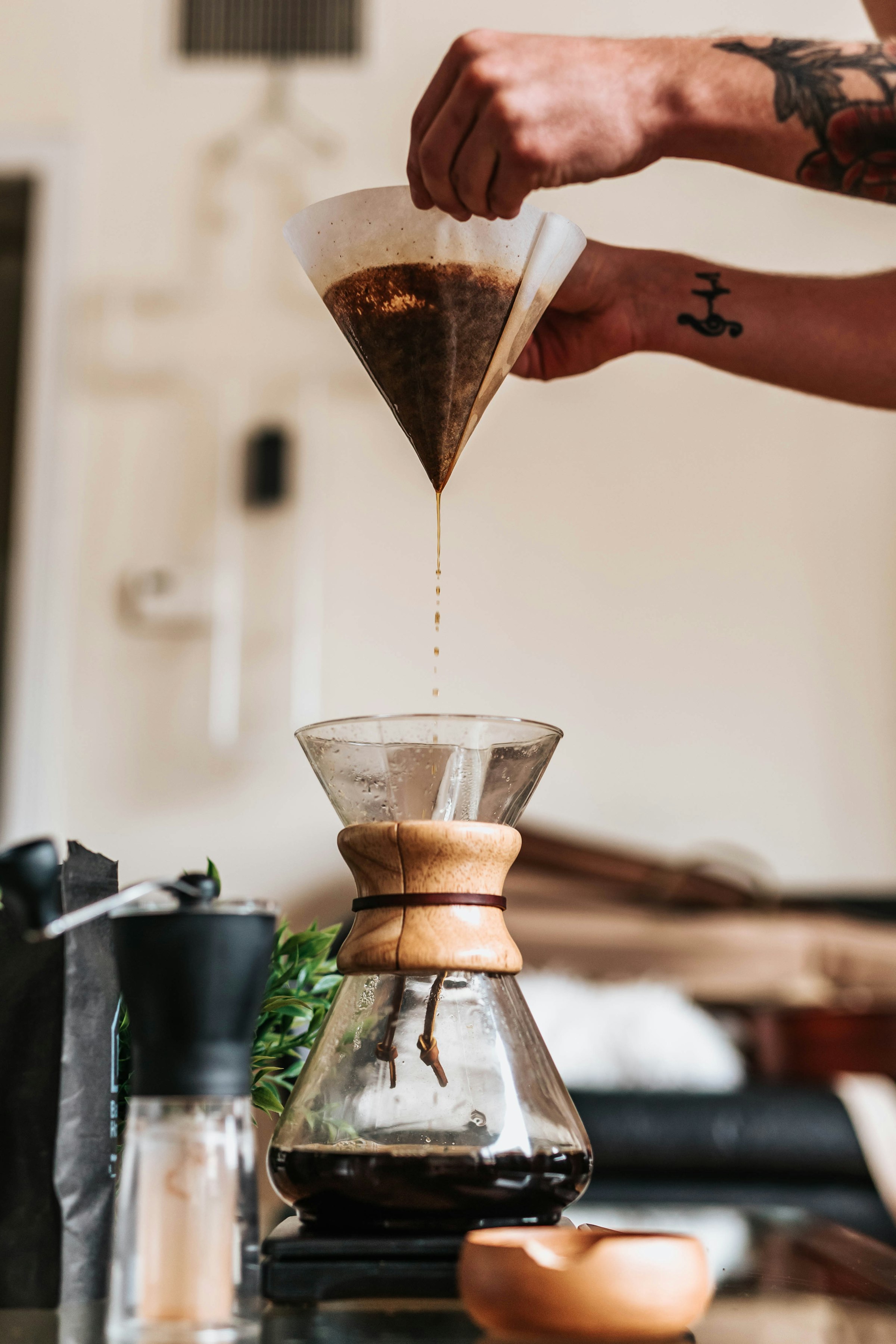
Yesterday I closed with a promise: “Live Activities and the Dynamic Island — and the decision matrix for when they’re actually worth building.” I kept the decision matrix. I did not keep a literal home-screen Dynamic Island screenshot, and by the end of this post you’ll know exactly why, because it’s the same wall Day 25 hit with widgets, just under a different name.
The decision matrix is one function, not a slide
Every BrewLog tutorial demo I could write would start a Live Activity for any brew, because that’s the maximally impressive thing to screenshot. It’s also wrong. Espresso takes 25 seconds. A Moka pot is done before the stove cools. Cold brew is poured from a batch that finished hours ago. None of those survive long enough to be worth glancing at from a Lock Screen — by the time you’d unlock your phone to check, you’d have finished the cup.
Filter and Aeropress are different. Four minutes and two and a half minutes respectively, both long enough that you’ll do something else with your hands and want a glance-able countdown instead of standing over a timer app. That’s the entire decision matrix, and it doesn’t need a quadrant chart — it needs a switch statement:
/// Which methods earn a Live Activity. Espresso, the Moka pot, and cold
/// brew (poured from an already-finished batch) are over before you could
/// unlock the phone to look — a Live Activity for them would outlive the
/// brew itself. Filter and Aeropress run long enough that an honest
/// countdown beats a lying "done" the instant you tap the button.
func recommendedBrewDuration(for method: BrewMethod) -> TimeInterval? {
    switch method {
    case .espresso, .mokaPot, .cold: nil
    case .filter: 240
    case .aeropress: 150
    }
}
nil means “don’t bother.” That’s the whole pitch against the “every feature everywhere” instinct: a Live Activity for a 25-second espresso isn’t a feature, it’s a notification that arrives after the thing it’s about already ended.
What BrewLog was lying about, again
Tapping a method in the floating quick-add cluster has always inserted a finished, rated Brew instantly — fine for espresso, dishonest for a four-minute pour-over you haven’t even started pouring yet. Same shape of lie Day 21 found in the streak stat: nothing crashes, nothing logs a warning, it just quietly tells you something happened before it did.
The fix is the decision matrix function deciding the branch, right where the tap lands:
QuickBrewMenu(methods: quickAddMethods(showMilkBased: prefs.showMilkBased), isExpanded: $quickExpanded) { method in
    guard canLogNewBrew else {
        quickExpanded = false
        showPaywall = true
        return
    }
    if recommendedBrewDuration(for: method) != nil {
        brewingMethod = method   // -> .sheet(item:) presents BrewTimerView
    } else {
        let brew = Brew(method: method, rating: prefs.defaultStrength > 5 ? 5 : 4)
        ctx.insert(brew)
        try? ctx.save()
    }
}
Espresso still logs the instant you tap it — that part was never the lie. Filter and Aeropress now start a countdown, and the Brew only gets inserted once the countdown actually finishes.
A timer model that has never heard of ActivityKit
Here’s the part I wrote first, before a single import ActivityKit existed anywhere in the project. Same instinct as Day 25’s LogBrewIntent.modelContainerProvider: the thing worth unit testing is the decision logic, and the system framework is the thin shell around it, not the other way around.
@Observable
final class BrewTimerModel {
    enum Phase: Equatable {
        case idle
        case brewing(method: BrewMethod, startDate: Date, totalDuration: TimeInterval)
        case finished(method: BrewMethod)
    }

    private(set) var phase: Phase = .idle

    var onActivityStart: (BrewMethod, Date, TimeInterval) -> Void = { _, _, _ in }
    var onActivityUpdate: (Date, TimeInterval) -> Void = { _, _ in }
    var onActivityEnd: () -> Void = {}

    func start(method: BrewMethod, now: Date = .now) {
        guard let totalDuration = recommendedBrewDuration(for: method) else { return }
        phase = .brewing(method: method, startDate: now, totalDuration: totalDuration)
        onActivityStart(method, now, totalDuration)
    }

    func tick(now: Date = .now) {
        guard case .brewing(let method, let startDate, let totalDuration) = phase else { return }
        guard now.timeIntervalSince(startDate) < totalDuration else {
            phase = .finished(method: method)
            onActivityEnd()
            return
        }
        onActivityUpdate(startDate, totalDuration)
    }

    func remaining(now: Date = .now) -> TimeInterval {
        guard case .brewing(_, let startDate, let totalDuration) = phase else { return 0 }
        return max(0, totalDuration - now.timeIntervalSince(startDate))
    }
}
No Activity<_>, no ActivityAttributes, no entitlement, no simulator. start(method: .espresso) is a no-op by construction — the decision matrix gates it before any callback fires, which means “should this method get a Live Activity” is tested the same way as “what does this countdown say,” with the same tool, in the same file. I wrote BrewTimerModelTests against this exact shape before the class existed; the first run failed to compile because nothing here did yet, which is the only kind of red I trust.
The thin glue, and the Info.plist key tutorials bury in step nine
Three closures, filled in for real:
@MainActor
final class BrewTimerActivityController {
    private var activity: Activity<BrewTimerAttributes>?

    func attach(to model: BrewTimerModel) {
        model.onActivityStart = { [weak self] method, startDate, totalDuration in
            self?.start(method: method, startDate: startDate, totalDuration: totalDuration)
        }
        model.onActivityUpdate = { [weak self] startDate, totalDuration in
            self?.update(startDate: startDate, totalDuration: totalDuration)
        }
        model.onActivityEnd = { [weak self] in self?.end() }
    }

    private func start(method: BrewMethod, startDate: Date, totalDuration: TimeInterval) {
        let state = BrewTimerAttributes.ContentState(startDate: startDate, totalDuration: totalDuration)
        activity = try? Activity.request(
            attributes: BrewTimerAttributes(method: method),
            content: .init(state: state, staleDate: startDate.addingTimeInterval(totalDuration))
        )
    }

    private func update(startDate: Date, totalDuration: TimeInterval) {
        guard let activity else { return }
        let state = BrewTimerAttributes.ContentState(startDate: startDate, totalDuration: totalDuration)
        Task { await activity.update(.init(state: state, staleDate: startDate.addingTimeInterval(totalDuration))) }
    }

    private func end() {
        guard let activity else { return }
        Task { await activity.end(nil, dismissalPolicy: .after(.now.addingTimeInterval(5))) }
    }
}
Activity.request is wrapped in try? on purpose, and that’s not me being lazy about error handling — it’s the honest outcome of the one fact every “build a Live Activity” tutorial mentions around step nine instead of step one: Activity.request throws unless the main app’s Info.plist has NSSupportsLiveActivities set to YES, and the actual Lock Screen / Dynamic Island UI only renders out of a real Widget Extension target with ActivityConfiguration — the Activity.request call itself can live in the app, but nothing visible happens without that extension on the other end of it.
The Dynamic Island layout — real code, still not on a real island
I wrote the presentation anyway, because the point of this post is the decision matrix and the model, not whether I’m willing to risk an unattended .pbxproj edit:
struct BrewTimerLiveActivity: Widget {
    var body: some WidgetConfiguration {
        ActivityConfiguration(for: BrewTimerAttributes.self) { context in
            BrewTimerLockScreenView(context: context)
        } dynamicIsland: { context in
            DynamicIsland {
                DynamicIslandExpandedRegion(.leading) {
                    Image(systemName: context.attributes.method.iconName)
                }
                DynamicIslandExpandedRegion(.trailing) {
                    Text(timerInterval: context.state.startDate...context.state.endDate)
                        .monospacedDigit()
                }
                DynamicIslandExpandedRegion(.bottom) {
                    Text("Brewing \(context.attributes.method.label)")
                        .font(.caption)
                }
            } compactLeading: {
                Image(systemName: context.attributes.method.iconName)
            } compactTrailing: {
                Text(timerInterval: context.state.startDate...context.state.endDate)
                    .monospacedDigit()
                    .frame(width: 44)
            } minimal: {
                Image(systemName: "timer")
            }
        }
    }
}
Text(timerInterval:) is the one line worth remembering from this whole section — it’s a real SwiftUI view that ticks down on its own, driven by the system, with zero Timer or TimelineView of your own. Feed it a ClosedRange<Date> and it counts down even while your app is suspended. That’s the same primitive a real Dynamic Island would use; this struct compiles clean in BrewLog’s main target right now, same as Day 25’s BrewStreakWidget did, for the same reason — Widget and ActivityConfiguration are just protocol conformances, and nothing stops you from writing one outside the extension that would actually register it with the system.
What would stop it from appearing for real: a genuine Widget Extension target (File ▸ New ▸ Target ▸ Widget Extension, “Include Live Activity” checked), the NSSupportsLiveActivities key in the app’s Info.plist, and — same App Group story as Day 25 — a shared container if the extension needs to read anything BrewLog’s app process owns. None of that is hard. All of it is exactly the kind of unattended .pbxproj surgery this series keeps declining, for the same reason: breaking someone’s only local signing setup on a day they’re not watching is a worse outcome than an honest gap in a blog post.
Proof, the boring kind
Test case 'RecommendedBrewDurationTests/instantMethodsReturnNil()' passed (0.000 seconds)
Test case 'RecommendedBrewDurationTests/filterGetsFourMinutes()' passed (0.000 seconds)
Test case 'RecommendedBrewDurationTests/aeropressGetsTwoAndAHalfMinutes()' passed (0.000 seconds)
Test case 'BrewTimerModelTests/startingInstantMethodDoesNothing()' passed (0.000 seconds)
Test case 'BrewTimerModelTests/startingTimedMethodBeginsBrewing()' passed (0.000 seconds)
Test case 'BrewTimerModelTests/tickBeforeDoneStaysBrewing()' passed (0.000 seconds)
Test case 'BrewTimerModelTests/tickPastDurationFinishes()' passed (0.000 seconds)
Test case 'BrewTimerModelTests/remainingTimeClampsAtZero()' passed (0.000 seconds)
Test case 'BrewTimerModelTests/remainingTimeZeroWhenIdle()' passed (0.000 seconds)
And the part that’s real even without the extension — BrewTimerView is a genuine in-app countdown, BrewTimerActivityController.attach(to:) actually runs, Activity.request actually gets called (and, without an extension to render it, quietly does nothing visible, exactly as described above):
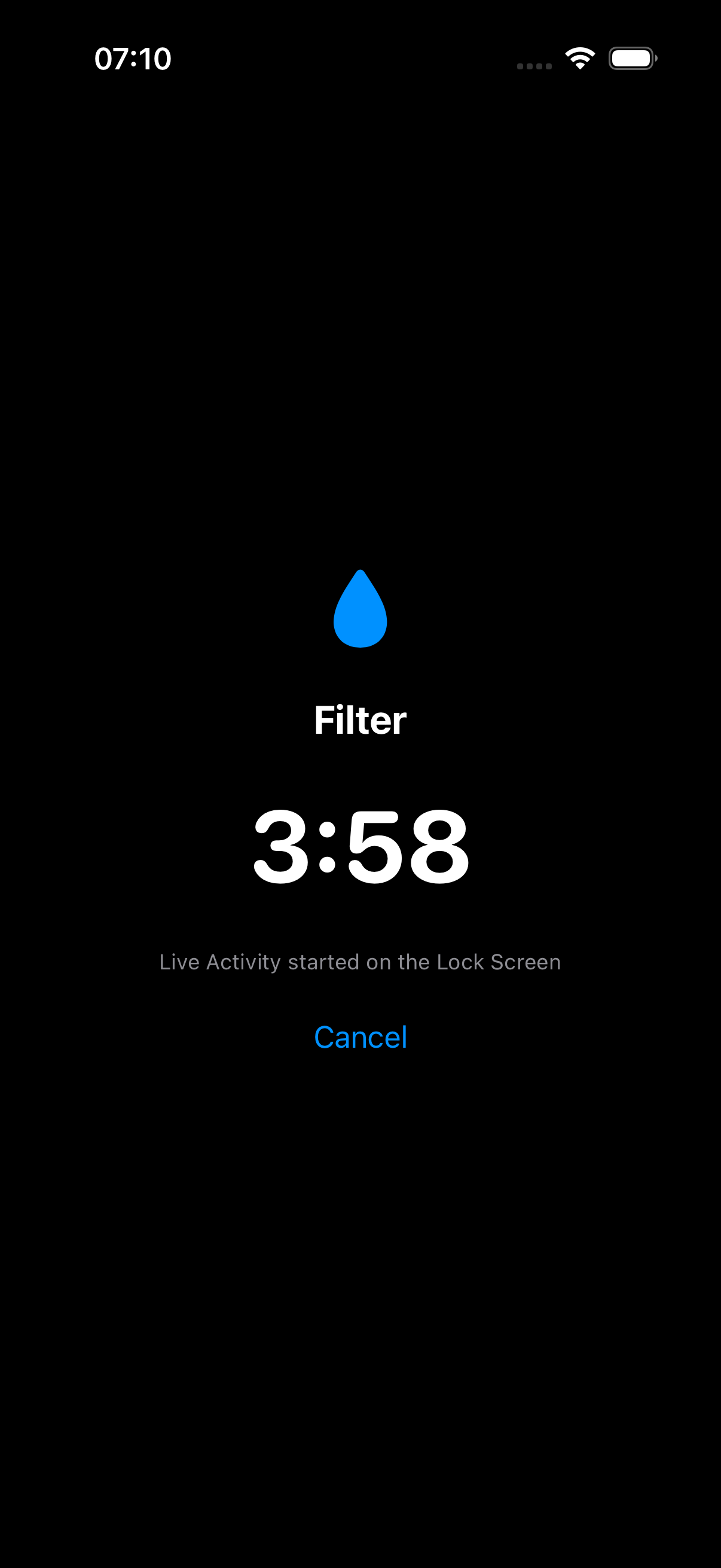
That’s a real simulator run, launched with a debug flag that drops straight into BrewTimerView(method: .filter) — the same countdown you’d get from tapping Filter in the quick-add cluster, minus the four real minutes it took to get from “3:58” to a saved Brew.
The takeaway
The interesting question with Live Activities was never “how do I build one,” it’s “should this feature exist at all” — and that question has a one-function answer if you let it. Most of what makes Live Activities feel hard is the same Widget Extension tax Day 25 already paid: the part you can unit test is approachable, the part that makes it show up on a Lock Screen is bookkeeping you do once, carefully, with your own hands on your own signing setup — not something to improvise unattended at 7 AM.
Day 26 of the 30-day iOS development series. Yesterday: WidgetKit and App Intents, logging a brew without opening the app. The full Widgets + Live Activities module, built test-first against a modular app instead of a single-target demo, is part of the SwiftUI at Scale course coming to /learn. Tomorrow: Combine in 2026 — and the three real cases where it’s still better than async/await.
Share this post
Comments
Leave a comment
Mario
Founder & CEOFounder of NativeFirst. Building native Apple apps with SwiftUI and a passion for great user experiences.