
Apple Is Shipping Foldable iPhone APIs Before the Foldable iPhone. That's Either Genius or Chaos.
Remember when Sony shipped the PS3 dev kit a year before the console and developers had to build games for hardware they’d never touched? Some studios nailed it. Others shipped launch titles that looked like upscaled PS2 games and prayed nobody noticed.
Apple is doing the same thing right now. Except instead of a game console, it’s a phone that folds in half. And instead of a year, developers get two months.
We already covered the big Siri and Xcode changes coming at WWDC 2026. But in the two weeks since, the leaks haven’t stopped. And the picture they’re painting is way bigger than a Siri redesign. Apple is simultaneously preparing developers for a foldable iPhone, killing Core ML, adding touch support to macOS, and redesigning how Siri looks on every screen.
Six weeks before the keynote. No pressure.
Building for a Phone That Doesn’t Exist Yet
The iPhone Fold (or whatever Apple ends up calling it) is expected to ship in September. But the APIs are arriving on June 8, baked into the iOS 27 developer betas.
Here’s what we know developers will get:
Fold-state detection. Your app will know whether the device is open, closed, or somewhere in between. Think of it like trait collections but for physical hardware states. A journaling app could show a compact quick-entry view when half-folded and expand to a full editing canvas when opened flat.
Multi-window management. Not the iPad-style “drag an app to the side and hope for the best” approach. Actual multi-window support designed for a 7.8-inch inner display. Two instances of the same app, side by side, each with independent state.
4:3 aspect ratio layouts. Every SwiftUI layout you’ve built assumes a roughly 9:19.5 phone screen. The foldable’s inner display is closer to 4:3 — basically an iPad Mini that fits in your pocket. If your app uses hardcoded aspect ratios anywhere (and be honest, it probably does), now’s the time to find them.
Split-view multitasking. iPad-like split-view adapted for the foldable form factor. Your app needs to handle being resized to half the screen width without looking like it was squeezed through a pasta maker.
The strategic move here is clever. By shipping APIs before hardware, Apple gives developers two full months to build and test foldable support. When the iPhone Fold launches in September, the App Store won’t be a wasteland of apps that crash when you unfold your phone. It’ll be a wasteland of apps that merely look weird when you unfold your phone. Progress.
For us, this means updating all four of our apps. PromptKit is the most interesting case — imagine having your prompt library on one side of the fold and the AI chat on the other. RoleBud could show your resume on the left and the interview coach on the right. These aren’t hypothetical features. We’re sketching them right now.
Core ML Is Dead. Long Live Core AI.
This one has been rumored since March, but it’s worth talking about because it affects every iOS developer who’s ever touched on-device machine learning.
Apple is replacing Core ML with a new framework called Core AI. And before you roll your eyes at what sounds like a marketing rename — it’s not. The scope is fundamentally different.
Core ML was designed for running pre-trained models on-device. You’d convert a TensorFlow or PyTorch model to .mlmodel format, drag it into Xcode, and call it from Swift. It worked. It was fine. It was also built for a world where “AI” meant “image classification and natural language processing.”
Core AI is built for the world we actually live in now. The key changes:
Foundation Models integration. Core AI ships with Apple’s own Foundation Models — the same on-device models that power the upgraded Siri. Developers get the same building blocks Apple uses internally. No more hoping your converted model runs as well on a Neural Engine as it did on your training rig.
Third-party model support. This is the big one. Core AI is designed from the ground up to integrate external AI models into your apps. Not just Apple’s models. Third-party ones. The framework handles the plumbing — context management, token handling, response streaming — so you don’t have to build it yourself.
Unified approach. Core ML treated predictive models and generative models as fundamentally different problems. Core AI doesn’t. Same framework, same APIs, whether you’re classifying an image or generating a conversational response.
Will Core ML disappear overnight? Probably not. Apple loves a long deprecation cycle. But the direction is clear: if you’re starting a new project today, you should be thinking Core AI, not Core ML.
We’ve been using Core ML in PromptKit for prompt categorization and smart suggestions. The migration path to Core AI should be straightforward — and the Foundation Models access means we can add features that would’ve required a server round-trip before. On-device prompt optimization? Yes please.
Siri Moves Into the Dynamic Island (And Gets Its Own App)
Bloomberg’s Mark Gurman dropped the details on the Siri redesign, and it’s exactly the kind of thing Apple would do: subtle, visual, and impossible to unsee once you know about it.
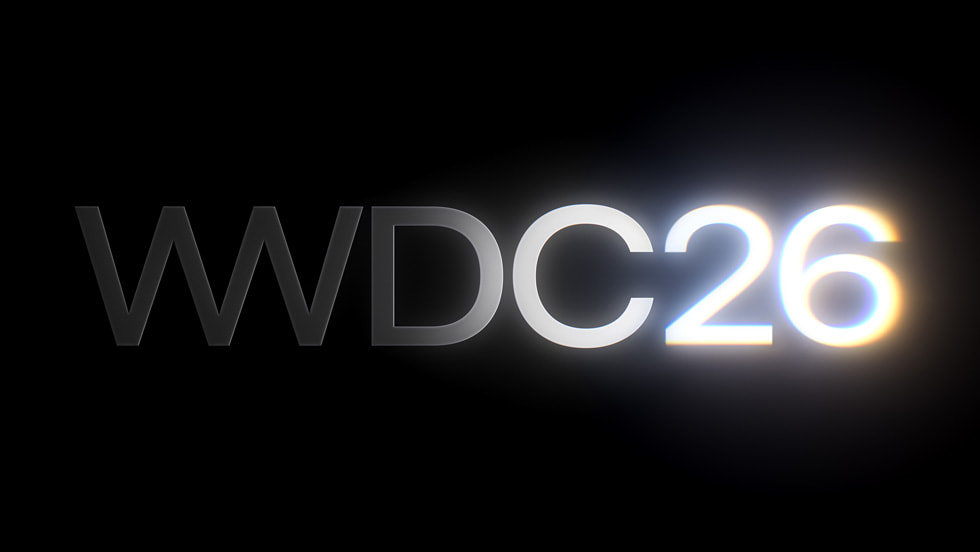
When you trigger Siri on iOS 27, the Dynamic Island transforms. A “Search or Ask” prompt appears with a glowing cursor — that same glow effect Apple teased in the WWDC 2026 graphic. The edges of the Dynamic Island light up with a thin glow. It’s Siri, but it actually looks like it belongs on a modern phone instead of a leftover from the iOS 14 era.
But the bigger change is the dedicated Siri app. Preinstalled. Full conversation history. Back-and-forth chat. Basically, Apple built ChatGPT but called it Siri and made it a first-class citizen in iOS.
For developers, this means App Intents and SiriKit integrations are about to get a lot more visible. When a user opens the Siri app and asks about their workout stats, your health app’s intents show up in a persistent, scrollable conversation. Not a voice bubble that disappears after three seconds. A real conversation thread.
The compatibility split is worth noting: Dynamic Island features require iPhone 14 Pro or newer, but the full AI-powered experience needs iPhone 15 Pro or later (Apple Intelligence hardware requirements). Plan your feature matrix accordingly.
macOS Gets Touch Support. I’ll Say That Again.
This one flew under the radar, but it might be the most consequential change for long-term platform strategy.
macOS 27 introduces SwiftUI touch input APIs. These aren’t for current hardware. They’re for the rumored M6 MacBook Pro with a touchscreen, expected sometime in 2027.
Yes, Apple — the company whose executives spent a decade publicly mocking touchscreen laptops — is adding touch support to macOS. Steve Jobs is somewhere in the cosmos doing his best Picard facepalm.
For SwiftUI developers, this means your gesture recognizers and hit targets need to work for both cursor and finger input. A 44-point tap target is fine for a finger but generous for a cursor. A right-click context menu is natural with a trackpad but awkward with touch. The APIs will handle some of this automatically, but if your app has custom gesture handling, start thinking about it now.
There’s also a rumored Dynamic Island framework for macOS 27, presumably for the punch-hole camera design. Which means the Dynamic Island isn’t just an iPhone thing anymore — it’s becoming a cross-platform UI pattern.
If you’re building a cross-platform SwiftUI app, your life just got simultaneously easier (one framework, all platforms) and harder (more platform-specific adaptations to handle).
Six Weeks to Prepare. Here’s What We’re Doing.
We’re not waiting for the keynote. Based on what we know, here’s our preparation checklist:
1. Audit every hardcoded layout. Any frame, padding, or spacing value that assumes a specific screen ratio needs to become adaptive. We’re going through RoleBud and PromptKit screen by screen.
2. Map our Core ML usage. Every .mlmodel file, every prediction call, every custom pipeline. We want to know exactly what needs migrating when Core AI documentation drops on June 8.
3. Review our App Intents. With Siri getting a dedicated app and conversation history, our intents need to be more conversational. A one-shot “open the app” intent is less useful than a “show me my last three prompts” intent that returns rich, browsable results.
4. Test at 4:3. We’ve added a 4:3 simulator configuration to our test matrix. Even before official fold APIs, we can catch layout issues now. Spoiler: we already found three.
5. Touch-proof our macOS targets. This is lower priority since the hardware is a year out, but we’re already making sure our hit targets are finger-friendly in PromptKit for Mac.
The Big Picture
Apple is doing something unusual. They’re showing developers the next two years of platform evolution in a single WWDC. Foldable phones, touchscreen Macs, a new AI framework, a Siri that actually works — it’s a lot.
But here’s the thing: the developers who prepare for this stuff before the keynote are the ones whose apps work on day one. And on the App Store, day one matters more than anything.
WWDC 2026 keynote is June 8. Set your alarm. We’ll be watching with Xcode open and a fresh branch ready to go.
Related Reading
- Apple Stopped Pretending It Could Build AI Alone — Part 1 of our WWDC coverage: Siri Extensions, Xcode agentic coding, and iOS 27 as a stability year.
- We Got Our Hands on Claude Mythos Preview — How we used Anthropic’s most powerful AI to audit our iOS apps.
- The Complete Guide to Vibe Coding iOS Apps — How we use Claude Code for daily iOS development.
Share this post
Comments
Leave a comment
NativeFirst Team
EditorialThe NativeFirst team — engineers and designers building native Apple apps and writing the courses we wish we had when we started.