
The iPhone Fold Ships in September. Your App Layout Just Had a Panic Attack.
Remember 2010? Steve Jobs walked on stage, held up a giant iPhone, and called it the iPad. Within 48 hours, every iOS developer on earth discovered that their carefully crafted iPhone app looked like it had been photocopied at 200% on a broken Xerox machine. Buttons drifted. Text overflowed. Navigation bars stretched into sad, lonely highways of whitespace.
We laughed. Apple cringed. Developers pulled all-nighters for weeks.
Fifteen years later, we’re about to do it again. Except this time, the stretching happens in real-time, in the user’s hands, mid-session. Your user opens the phone, and suddenly your app needs to go from a 5.49-inch iPhone layout to a 7.76-inch quasi-iPad layout without missing a beat.
The iPhone Fold is real. It ships in September. And most apps on the App Store aren’t ready.
Here’s What We’re Dealing With
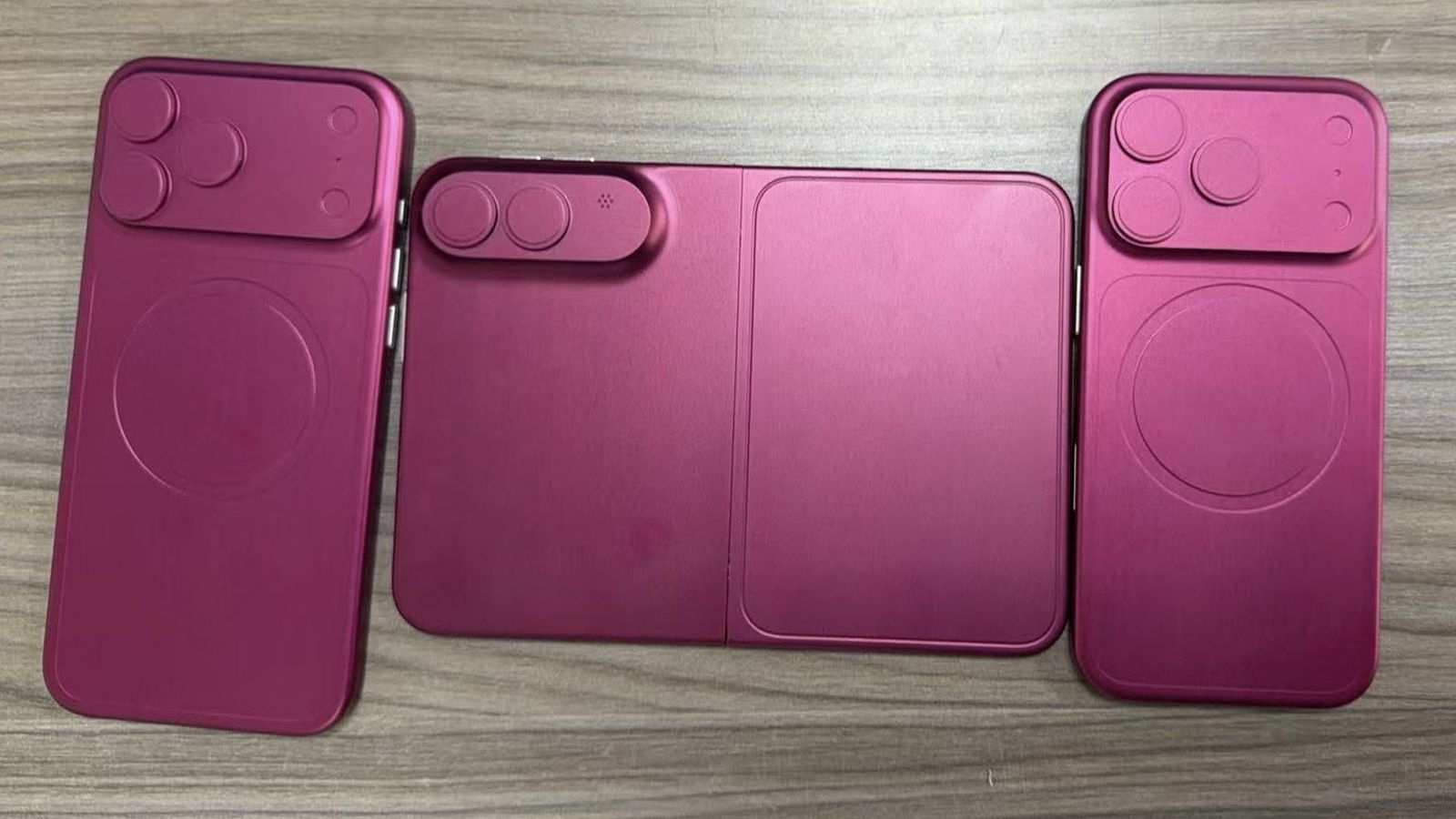
Leaked dummy models, supply chain reports, and that one person on Weibo who keeps being right about everything have painted a pretty clear picture.
The specs (as of mid-April 2026):
- Inner display: 7.76 inches, 2713 x 1920, book-style fold
- Outer display: 5.49 inches, 2088 x 1422, 4:3 aspect ratio
- Thickness: Under 5mm unfolded (the thinnest iOS device ever made), around 9.5mm folded
- Chip: A20
- Biometrics: Touch ID in the power button. No Face ID. No TrueDepth camera system.
- Cameras: Dual 48MP (main + ultrawide). No telephoto.
- Hinge: Liquid Metal alloy — reportedly 2.5x harder than titanium
- Crease: Apple’s reportedly going for “nearly invisible.” If true, it’s an industry first.
- Price: Starting at $1,999. You knew it wouldn’t be cheap.
- Production target: 7-8 million units for launch — less than 10% of total iPhone volume
Nikkei reported production snags in early April. Bloomberg’s Mark Gurman said everything’s on track. The truth is probably somewhere in between, which in Apple supply chain terms means “it’ll ship, but good luck getting one before November.”
Oh, and about that Touch ID. Apple ditched Face ID on this one because there’s no room for the TrueDepth camera system in a device that folds down to 5mm. If your app relies heavily on Face ID APIs, heads up — you’re going to need a fallback path.
The Real Problem Isn’t the Hardware
A foldable screen is an engineering flex. Cool. But the developer challenge isn’t about the screen — it’s about the transition.
Think about it like this. You’re watching a movie on a laptop. Someone walks over, grabs the sides of your screen, and stretches it to twice its width — while the movie keeps playing. No pause. No loading screen. The movie just needs to reorganize itself instantly and pretend nothing happened.
That’s what your app will need to do every time a user unfolds their iPhone Fold.
Your user is browsing a list. Compact layout. Everything’s cozy. Then they unfold. In about one second, the horizontal size class flips from .compact to .regular. Your layout needs to reorganize without losing scroll position, dropping form state, or looking like someone grabbed both sides and pulled.
Samsung’s internal data tells a brutal story: users who encounter buggy foldable apps are 40% more likely to return the device. Not the app. The device. Your janky layout could cost Apple a $2,000 sale.
Android developers learned this the hard way. Google’s documentation says “handle configuration changes” like it’s a minor footnote. It isn’t. A single fold/unfold fires multiple rapid configuration changes, and if your app doesn’t handle each one gracefully, the user sees a flash of broken layout that makes Windows Vista look polished.
The unfolded 7.76-inch display with its 4:3 aspect ratio puts the iPhone Fold squarely in iPad territory. This could be the first iPhone ever to receive a .regular horizontal size class. If your app has code anywhere that assumes “if iPhone, then compact” — that assumption is about to break spectacularly.
SwiftUI Developers Are Smiling. UIKit Developers Are Sweating.
Here’s where things get interesting for the two camps.
SwiftUI was built for exactly this moment. ViewThatFits, GeometryReader, environment-based size classes — the whole framework is designed around the idea that screens change shape and your UI should roll with it. If you’ve been building with SwiftUI’s adaptive layout system, your app is probably 70% ready for the iPhone Fold without writing a single new line of code.
UIKit apps? Different story. Auto Layout with constraint priorities works, but it was designed for screens that pick a size and stick with it. The fold/unfold transition introduces a new problem: live layout reconfiguration. Your constraints need to resolve under pressure, in real-time, without the user seeing the sausage being made.
Apple laid some groundwork already. iOS 26 added flushUpdates for animation-synced layouts, and you can now mix SwiftUI and UIKit scene types in a single app. If you’re running a UIKit app with a few SwiftUI views sprinkled in, this is your escape hatch.
But if your entire app is built on a UIKit layout system that hardcodes column counts based on screen width — if you’ve got magic numbers like let columns = UIScreen.main.bounds.width > 400 ? 3 : 2 scattered around — September is going to hurt.
The practical advice? Start making your layouts adaptive now. Not because the iPhone Fold demands it, but because adaptive layouts are just better engineering. They handle Dynamic Type, multitasking, different iPhone sizes, and accessibility needs. The fold is just the final exam for code that should’ve been flexible all along.
What Android Developers Wish They’d Known Sooner
Samsung has been shipping foldables since 2019. Seven years of developer pain, distilled into lessons we don’t have to learn the hard way.
Lesson 1: State preservation is everything. When someone unfolds mid-video, mid-form, or mid-checkout, the app needs to continue exactly where it left off. Android developers discovered that Activity recreation on configuration change destroyed in-progress work. SwiftUI’s state management (@State, @StateObject, @EnvironmentObject) should handle this better — but only if you’re actually using it correctly instead of storing state in random places.
Lesson 2: The fold is not a rotation. Early Android foldable support treated fold/unfold like a screen rotation. It isn’t. A rotation maintains the same screen area. A fold transition doubles it. Your layout doesn’t rotate — it evolves. It’s more like a caterpillar becoming a butterfly, if the butterfly needed to remember what the caterpillar was reading.
Lesson 3: Users actually use both screens. Samsung found that optimized foldable apps see 40% higher engagement on those devices. Users don’t unfold for fun. They unfold because they want more space, and they expect your app to use it intelligently. A stretched iPhone layout on a 7.76-inch screen is a missed opportunity, not a solution.
Lesson 4: Don’t build a “foldable version.” The developers who struggled most were the ones who created dedicated foldable layouts. The ones who thrived had responsive layouts that adapted naturally. One codebase. One layout system. Multiple outcomes.
The Hidden Catch: Apple Might Keep the Good Stuff Secret
Here’s the part that should make you nervous.
9to5Mac reported that iOS 27’s foldable-specific changes might stay hidden until September. Apple will announce iOS 27 at WWDC on June 8, but foldable APIs could be held back until the hardware event.
That means developers might get zero lead time between the API reveal and consumer launch. If you’ve been through an Apple launch cycle, you know what that looks like: two weeks of frantic coding, three days of App Review silence, and a launch day where half the App Store hasn’t updated.
The optimistic take? The “foldable APIs” might just be extensions of existing size class and adaptive layout systems. Nothing fundamentally new — just new context. If your app already handles .compact and .regular gracefully, you might be fine without any new APIs at all.
But that’s a big “if.”
Your Five-Month Prep List
September is closer than it feels. Here’s what you can do today:
-
Audit your size class handling. Open your app on an iPad. Does it look good in Split View at every width? If not, the iPhone Fold won’t be kind to you either.
-
Embrace
ViewThatFits. If you’re on SwiftUI, start building conditional layouts that adapt to available space. Stop hardcoding anything. -
Kill magic numbers. Any layout code that references specific pixel values, screen dimensions, or device-type checks is a ticking time bomb. Replace them with relative constraints and size classes.
-
Stress-test state preservation. Simulate rapid size changes in the simulator. Toggle between compact and regular size classes mid-flow. Does your app survive? Does it lose data? Does it look terrible for a split second?
-
Watch WWDC on June 8. Even if Apple hides foldable-specific APIs, the adaptive layout and Liquid Glass design sessions will tell you most of what you need to know.
This Isn’t Just About One Phone
The iPhone Fold is Apple’s first genuinely new form factor since the iPad in 2010. It’s a $2,000 bet that the future of mobile devices isn’t about bigger phones or smaller tablets — it’s about devices that transform to match what you’re doing.
For developers, this is equal parts challenge and opportunity. The apps that handle the fold gracefully will stand out in a sea of stretched, broken layouts. The ones that don’t will become the 2026 equivalent of those sad, blown-up iPhone apps running on the original iPad — a punchline in a WWDC presentation about how not to build for new hardware.
The iPhone isn’t just learning to fold. It’s learning to expect more from your code.
Five months. Clock’s ticking.
Share this post
Comments
Leave a comment
NativeFirst Team
EditorialThe NativeFirst team — engineers and designers building native Apple apps and writing the courses we wish we had when we started.